I ran the same test prompts through 12 AI email marketing tools, then checked what each one’s AI does on its free plan and on its cheapest paid plan. Klaviyo (88/100), HubSpot (78/100) and ActiveCampaign (74/100) scored highest. Klaviyo predicts who will buy again from order history, HubSpot applies Breeze AI to CRM and sales data, and ActiveCampaign puts machine learning inside automations.
The other nine mostly write copy or subject lines, though Sender is the one built around running email tasks from ChatGPT or Claude. All 12 tools connect to ChatGPT or Claude. Prices are in USD per month and were checked in October 2026. AI scores are from our hands-on testing.
AI Email Marketing Tools Compared
| Tool | Best For | AI score | Cheapest plan with the main AI | ChatGPT/Claude |
| Klaviyo | Online stores with order history. Not for stores without purchase data. | 88/100 | $20/mo for 500 contacts | Yes (MCP server) |
| Omnisend | Ecommerce stores on a budget. Not for stores that need predictive scoring. | 68/100 | Free plan | Yes (MCP server) |
| ActiveCampaign | Teams building AI-assisted automations. Not for beginners. | 74/100 | $19/mo for 1,000 contacts | Yes (MCP server) |
| Mailchimp | Small businesses that want writing and scheduling help. Not for teams that need AI-built automations. | 65/100 | $30/mo for 500 contacts (generative AI) | Yes (connectors, Standard and Premium plans) |
| HubSpot | B2B teams running email from a CRM. Not for email-only senders. | 78/100 | Free (rate-limited) | Yes (MCP server) |
| Sender | People who already work in ChatGPT or Claude. Not for people who want AI inside the dashboard. | 60/100 | Free (MCP server on every plan) | Yes (official MCP server) |
| Brevo | Small teams that want basic AI writing on a free plan. Not for stores that want predictive scores without a Pro plan. | 48/100 | Free (Aura, limited) | Yes (MCP server) |
| GetResponse | Marketers who want a landing page and emails from one prompt. Not for ongoing optimization. | 62/100 | $15/mo for 1,000 contacts (3 AI uses) | Yes (MCP server) |
| MailerLite | Newsletter senders on a budget. Not for senders who need every AI feature on the free plan. | 45/100 | Free (subject lines, MCP server) | Yes (MCP server) |
| beehiiv | Newsletter creators. Not for ecommerce senders. | 55/100 | $49/mo for 1,000 subscribers (Scale) | Yes (MCP server, read-only on the free plan) |
| Constant Contact | Local businesses and nonprofits. Not for people who want AI that learns. | 42/100 | $12/mo for 500 contacts (Lite) | Yes (ChatGPT app and Claude connector) |
| Kit | Creators who write plain newsletters. Not for people who want AI-built automations. | 35/100 | Free (subject line suggestions, limited) | Yes (MCP server) |
How We Tested
I ran 12 tools through one set of test prompts so the results show how AI capabilities compare across tools. Each tool’s AI was asked to do the same tasks, wherever the platform offers them:
- Draft a campaign from a plain-language product launch brief
- Build a segment from a natural-language description
- Generate an automation or flow from a stated goal
- Produce subject line variants
- Run an agent or Composer-style task
- Connect to ChatGPT or Claude
Test account. I used each tool’s AI on its free plan and on its cheapest paid plan that unlocks the main AI, with the same sample list and the same campaign. The list was 1,000 contacts that had engaged with a newsletter in the last 90 days. Contacts were not purchased or scraped.
Timeframe. Testing ran from September to October 2026.
How the AI score was decided. After the six tasks above, I rated each tool on what its AI completed, how much editing the output needed, and whether the feature works on the free or the cheapest paid plan. Tools that finished more of the tasks with less rework scored higher, and tasks a tool does not offer count as not completed. The score is my judgment of the test results, not a measurement from a fixed point formula.
What the AI score reflects. The score out of 100 is calculated after the test battery above. It reflects how each tool handled the same tasks.
What was not tested. Enterprise-only AI tiers, custom-model or API-level AI access, and deliverability at volume. This review targets small businesses, ecommerce stores, creators and B2B teams evaluating built-in AI on standard plans.
How pricing was checked. Prices are in USD and were verified in October 2026. Monthly and annual billing are noted separately. AI credit costs and plan limits change often, so check each vendor’s pricing page before you buy.
12 Best AI Email Marketing Tools in 2026
Each tool below follows the same format: a spec line, a two-sentence verdict, what its key AI features do, and where it fell short.
1. Klaviyo – Best for Predictive AI
AI score 88/100 | AI on the free plan (Composer use capped) | From $20/mo for 500 contacts | ChatGPT/Claude connection: yes (MCP server)

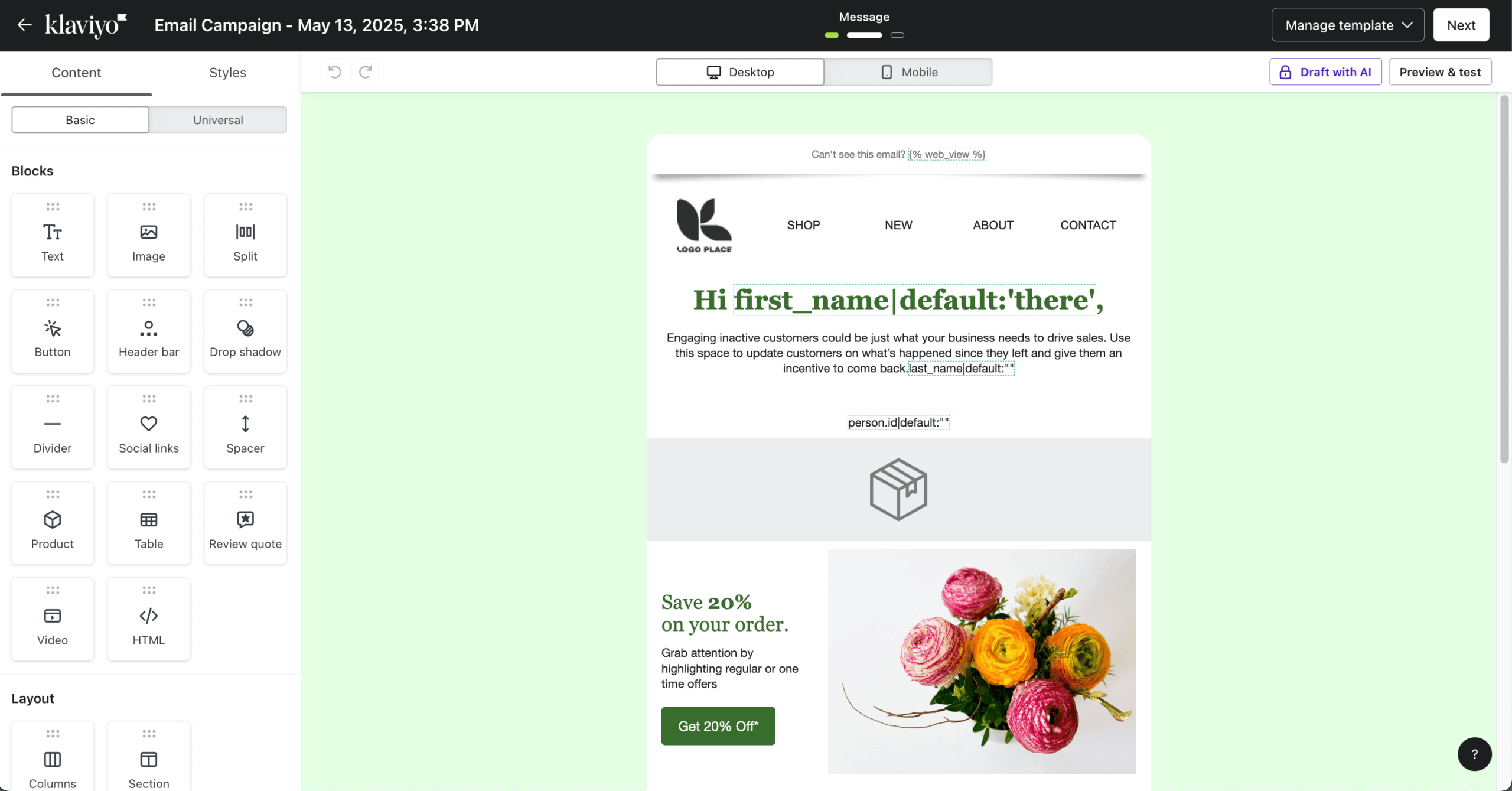
Klaviyo has the deepest AI for online stores. Its Composer agent turns plain-language prompts into campaigns, flows and segments, and its predictions show who is likely to buy again, as long as you have the order history to feed them.
Klaviyo’s AI
- Composer builds a campaign from one prompt, covering subject line, copy, images, audience segment and send logic.
- Predictive analytics scores each profile on predicted lifetime value, expected next order date and churn risk, and you can build segments on those scores.
- Personalized Send Time delivers each email in the window when that subscriber is most likely to open, based on engagement history.
Where Klaviyo’s AI fell short
- Predictive analytics need purchase history, so a store with fewer than a few hundred orders will see empty prediction fields.
- The free plan caps at 250 contacts and 500 emails per month, and AI-generated content and predictions need a paid Email plan from $20/mo for 500 contacts.
Skip it if you do not run an online store with purchase data, because the predictions and product recommendations need transaction history to work.
2. Omnisend – Best Budget Pick for Ecommerce
AI score 68/100 | Most AI on the Free plan (500 emails/month, 250 contacts); Forms AI on Standard, Dynamic Content and personalized recommendations on Pro | From $16/mo for 500 contacts | ChatGPT/Claude connection: yes

Omnisend fits mid-sized to larger online stores that want AI included on every plan instead of sold as an add-on, and it holds a 4.6/5 rating on G2. Paid plans start at $16/mo, cost up to 35% less than Klaviyo, and include a free 5-day migration.
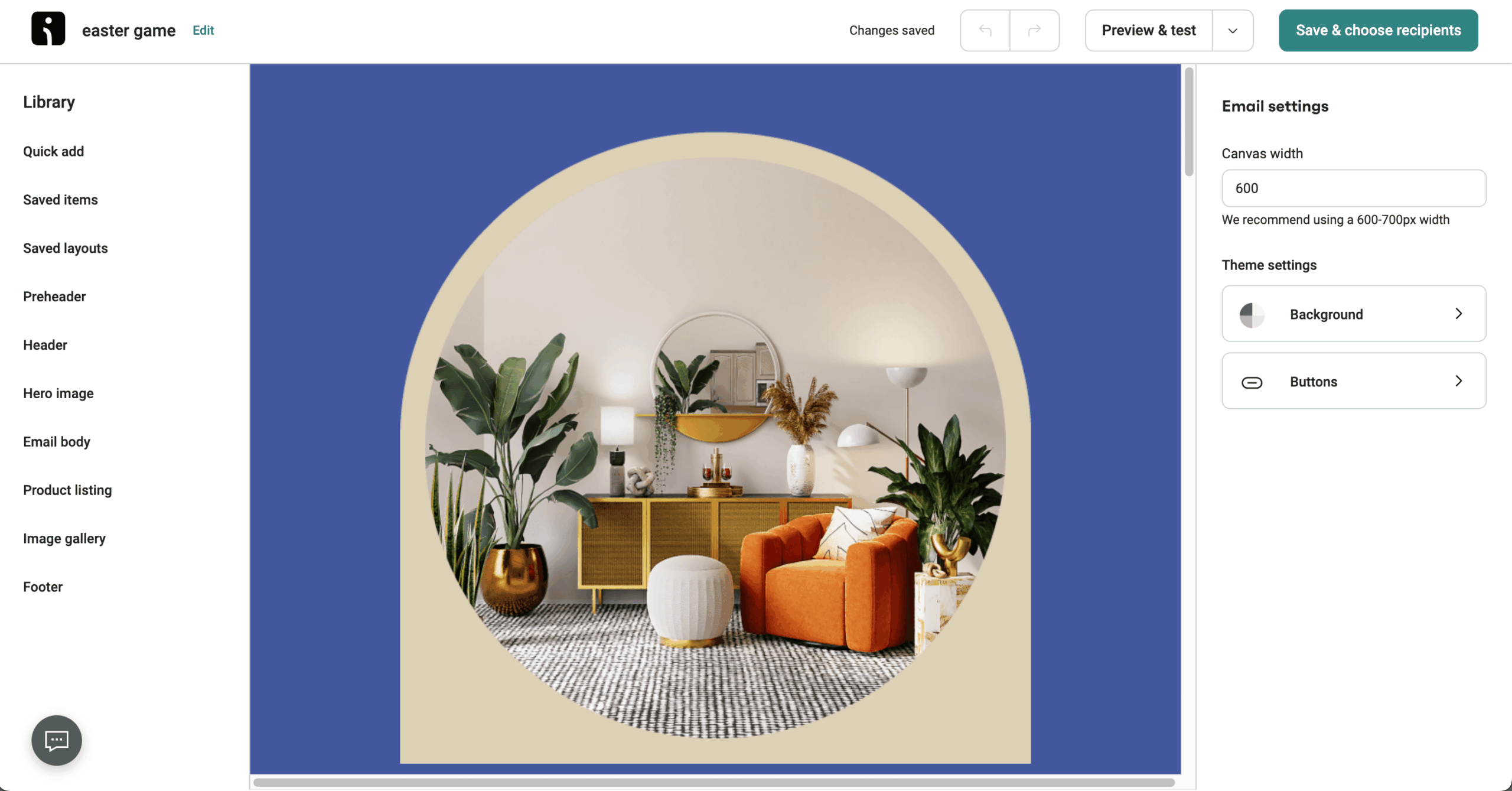
Omnisend’s AI
- AI Segment Builder: you describe an audience in plain language, like “bought twice, nothing in the last 90 days,” and it turns that into segment rules, asks follow-up questions and previews matching contacts before you save; available on all plans.
- Subject line generator: suggests subject line options based on your campaign content, which you can refine by tone, length or language; available on all plans.
- Forms AI Assistant: you enter a goal and a theme and get a working popup or flyout form in under 2 minutes, or re-theme an existing form; available on Standard and Pro.
- Campaign Booster: re-sends a campaign with a new subject line to subscribers who didn’t open or click within 48 hours; you turn it on and set the parameters; available on all plans.
- MCP connector: lets you query store performance and campaign results from inside ChatGPT or Claude, so you can pull reports without opening the Omnisend dashboard; available on all plans.
Where Omnisend’s AI fell short
- There are no autonomous agents. Every AI output is a draft or suggestion you review and approve, so you can’t hand off a full campaign from one prompt the way Klaviyo’s Composer allows.
- There’s no per-subscriber send-time optimization. Campaign Booster re-sends to non-openers, but it doesn’t pick an individual send time for each contact.
- Dynamic Content AI and personalized product recommendations are paywalled to Pro, which starts at $59/mo.
Skip it if you want AI agents that build and launch campaigns on their own, or predictive analytics like customer lifetime value.
3. ActiveCampaign – Best for AI-built Automations
AI score 74/100 | AI on the free plan none (14-day trial) | From $15/mo for 1,000 contacts | ChatGPT/Claude connection: yes (MCP)
ActiveCampaign suits marketing teams that want machine learning inside their marketing automation. Its predictive sending, smart segmentation and lead scoring decide when to send, who to target and which leads to prioritize, at the cost of more setup and higher pricing.
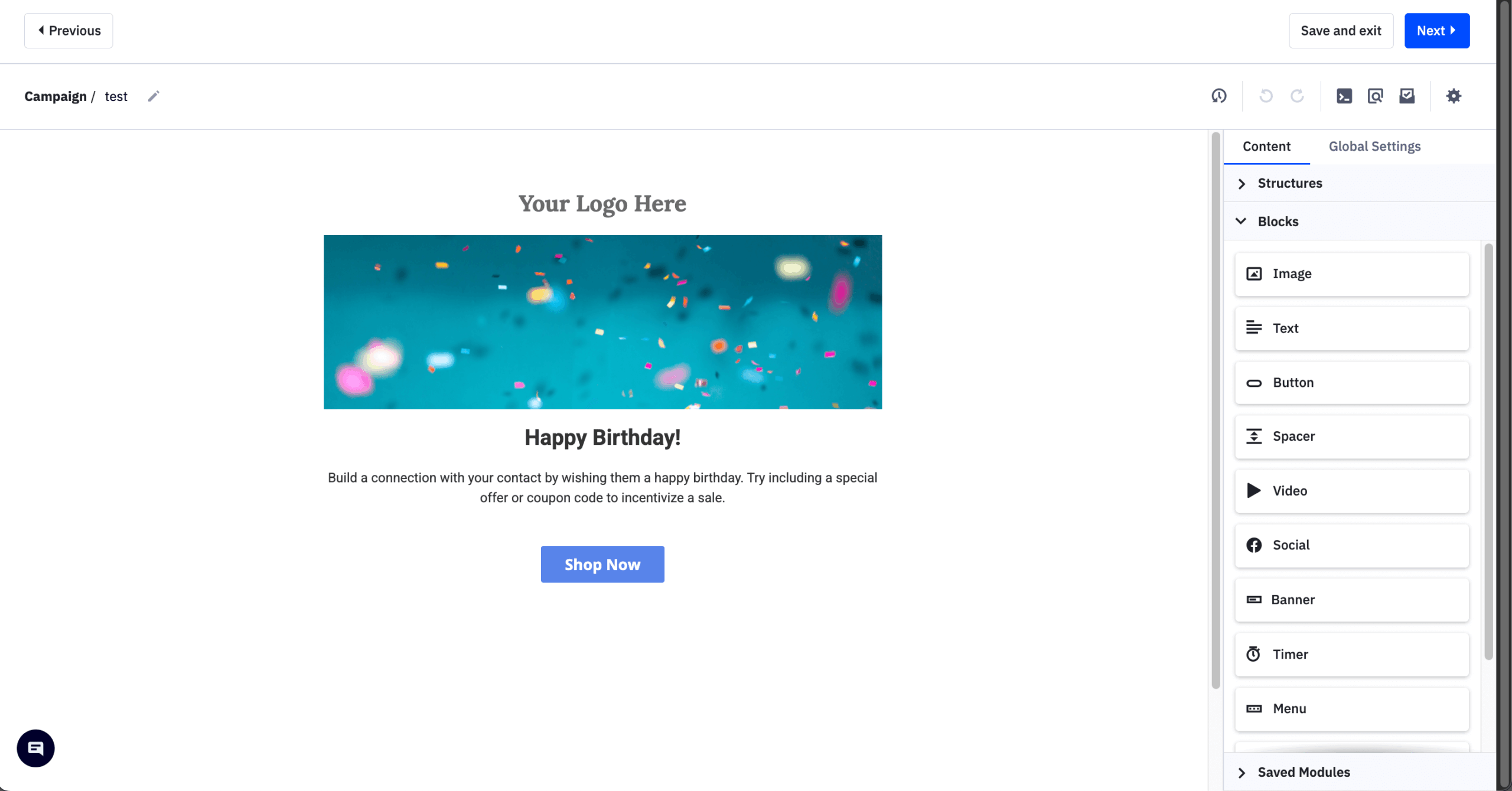
ActiveCampaign’s AI
- The automation builder supports if/then branching with AI-suggested paths, recommending conditions and next steps from your data once you describe a goal.
- Predictive lead scoring ranks contacts by opens, clicks, website visits and form submissions, and smart segmentation groups contacts with machine learning.
- Predictive sending times each email for the window when that contact is most likely to engage, based on past opens and clicks.
Where ActiveCampaign’s AI fell short
- Most AI features need the Professional plan, listed at $79/mo for 1,000 contacts, while the $19/mo Starter plan has no predictive sending, lead scoring or smart segmentation.
- The learning curve is steep, because AI-driven automations need conditional logic, scoring thresholds and segmentation rules in place first.
- There is no free plan, only a 14-day trial with a 100-send limit, and Professional at 25,000 contacts runs $629/mo.
Skip it if you are a beginner or want plug-and-play AI, because ActiveCampaign rewards teams that spend time configuring it.
4. Mailchimp – Best All-rounder for Small Businesses
AI score 65/100 | No AI on the free plan | From $20/mo for 500 contacts | ChatGPT/Claude connection: yes (connectors on Standard and Premium plans)

Mailchimp suits small businesses that want writing and scheduling help with little setup. Its generative AI writes subject lines and email copy and builds basic campaign plans, but it does not predict customer behavior.
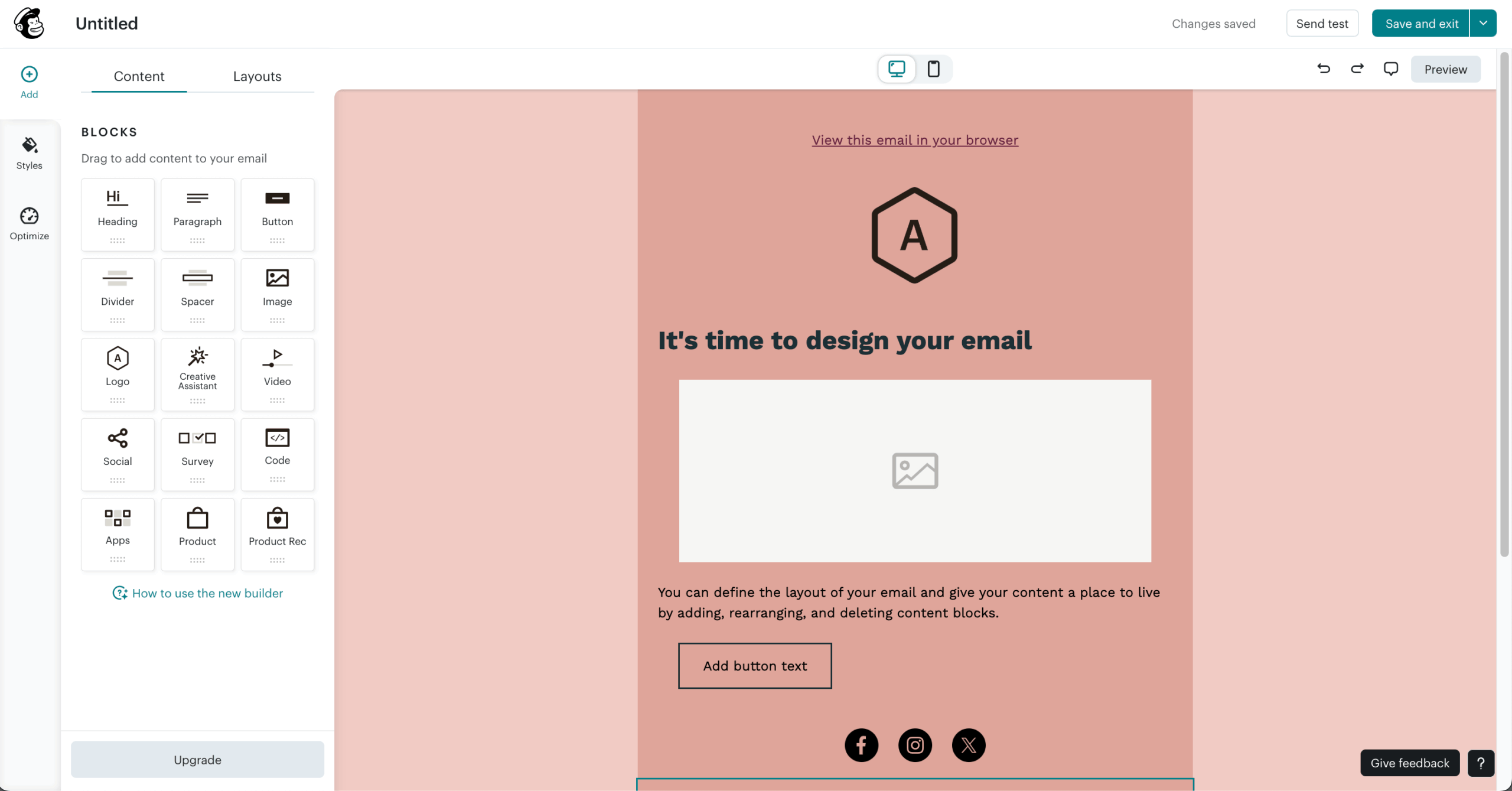
Mailchimp’s AI
- Intuit Assist generates email copy, subject lines and calls to action from a short prompt, and adapts to your brand voice as it learns from your sent campaigns.
- Send Time Optimization picks a delivery window for each campaign from your audience’s engagement, starting on the Standard plan at $20/mo.
- Content Optimizer scores a draft on readability, subject line strength and call-to-action placement before you send.
Where Mailchimp’s AI fell short
- Mailchimp generative AI is available only from the Standard plan up (from $30/mo at 500 contacts).
- The copy is generic: I tested Mailchimp generative AI on product launch emails and the drafts needed rewriting, so it works for short blocks like subject lines and button text, not full campaign narratives.
- Send-time optimization and advanced segmentation need Standard at $20/mo for 500 contacts, which reaches $135/mo at 10,000 contacts.
Skip it if you need deep automation logic or predictive customer modeling, because Mailchimp’s AI is a writing and scheduling assistant.
5. HubSpot – Best for CRM-led and B2B Teams
AI score 78/100 | AI on the free plan (Breeze Assistant, rate-limited) | From $20/mo for 1,000 contacts (Starter) | ChatGPT/Claude connection: yes
HubSpot suits B2B teams that want email AI tied to customer relationship management (CRM) and sales data such as deals, tickets and company records. Its Breeze AI works as an AI layer across Marketing Hub, Sales Hub and Service Hub, so email is one input among several.
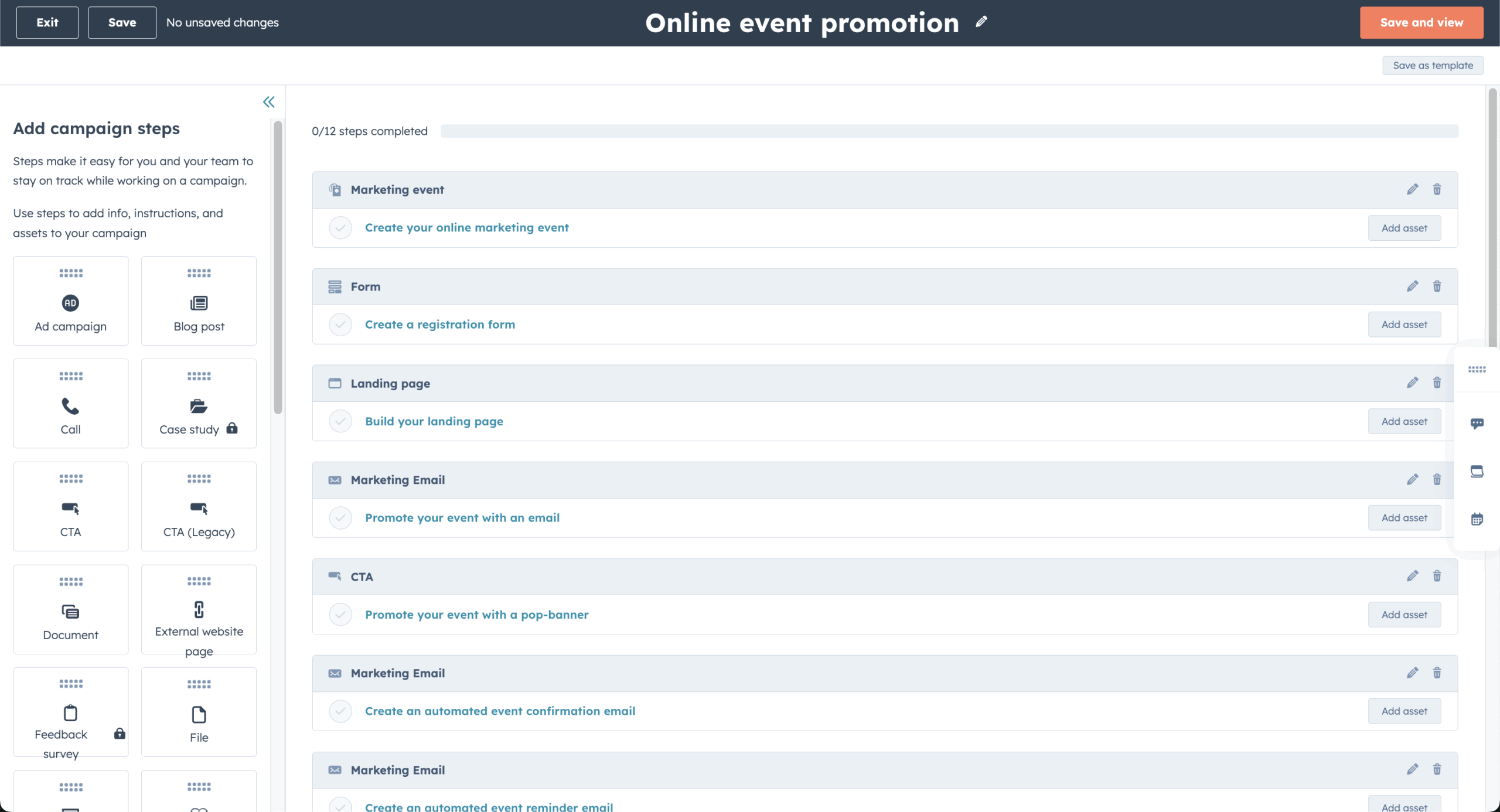
HubSpot’s AI
- Breeze Assistant (formerly Copilot) drafts marketing emails, summarizes contact and deal records and researches companies, and it is on every plan, including free, with rate limits.
- Prospecting Agent researches target companies and writes personalized outreach from CRM data, at 100 credits per lead on Starter and above.
- Data Agent flags CRM duplicates, missing fields and formatting problems, which cleans the database without manual hygiene work.
Where HubSpot’s AI fell short
- Most agents need Professional or Enterprise and charge credits per task, including 50 per resolution for Customer Agent and 1,000 per piece for Content Agent.
- Email-specific AI is thinner than on dedicated email platforms, with no AI-built email automations at the depth of ActiveCampaign or Klaviyo.
- The free plan is rate-limited to roughly 30 Breeze Assistant requests per minute and 1,000 per day with no agents.
Skip it if email marketing is your main need, because HubSpot’s AI pays off when email is one part of a full marketing suite tied to a CRM and sales workflow.
6. Sender – Best for ChatGPT and Claude Users
AI score 60/100 | AI on the free plan (MCP server, full access) | From $9/mo for 500 contacts | ChatGPT/Claude connection: yes (official MCP server)

Sender suits people who already work in ChatGPT, Claude, or Cursor and want to run email tasks from there. It has no AI features inside its own dashboard, so the AI comes entirely from the connected assistant.
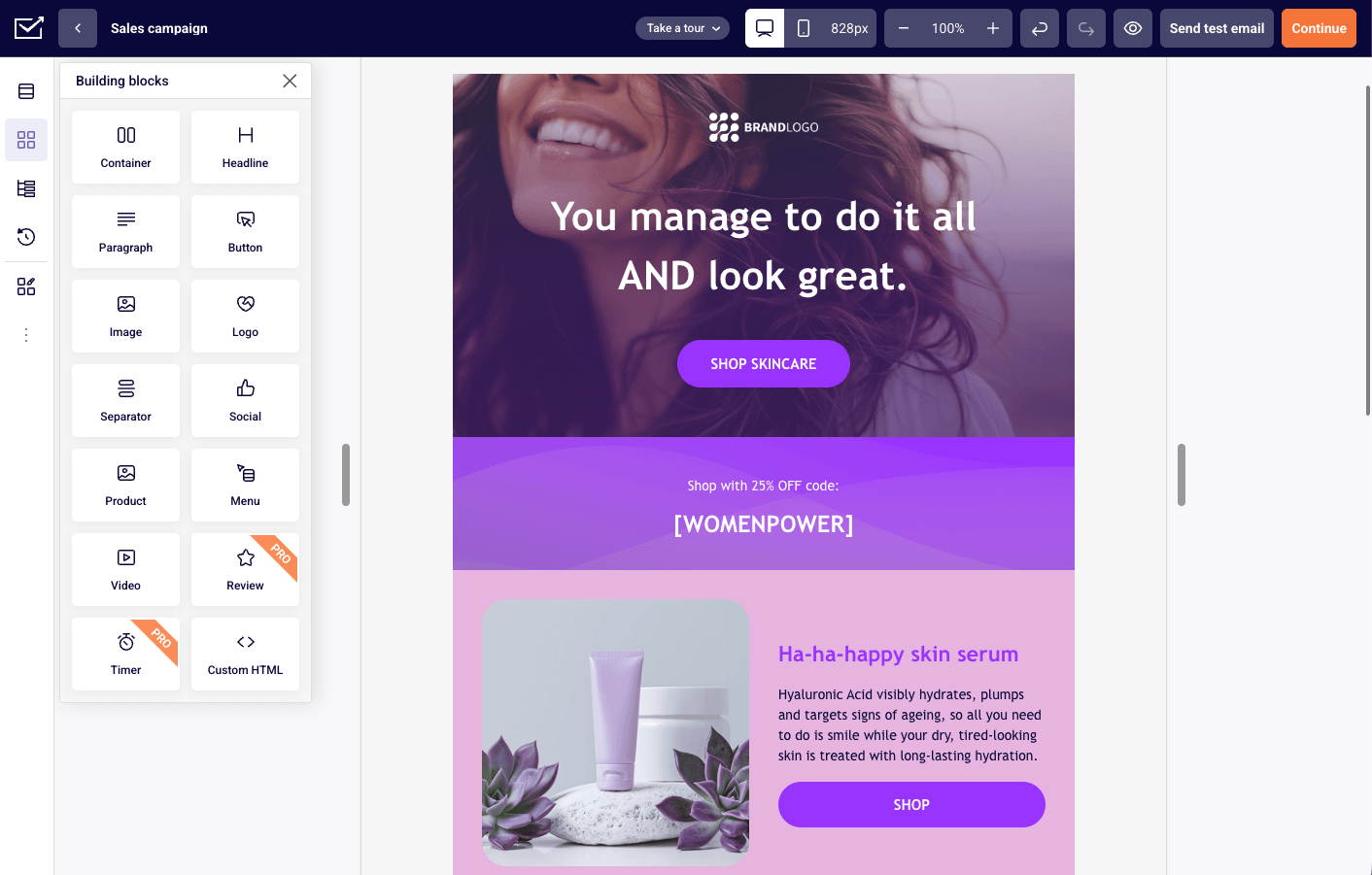
Sender’s AI
- The MCP server gives ChatGPT, Claude and Cursor read and write access to your Sender account, so you can create campaigns, build segments, draft emails and pull performance reports, with results syncing back as drafts.
- Natural-language segmentation takes a plain-English description, such as subscribers who opened the last three emails but have not purchased, and creates the segment in Sender.
- The MCP connection works on every plan, including the free plan (2,500 subscribers and 15,000 emails per month), with no feature gate on the AI connection.
Where Sender’s AI fell short
- There is no built-in AI in the dashboard, so no subject line generator, copy assistant or predictive analytics, and all AI runs through the external connection.
- Workflow creation is rate-limited to 50 per account per day, as a backstop against a runaway assistant.
- Active workflows cannot be edited through MCP and must be deactivated first.
Skip it if you want AI that works inside the email platform without leaving the dashboard, because Sender’s AI requires an external assistant.
7. Brevo – Best Free Plan with AI
AI score 48/100 | AI on the free plan (Aura AI writing, limited monthly use) | From $9/mo for 5,000 emails | ChatGPT/Claude connection: yes
Brevo suits small teams that want basic AI writing in an all-in-one platform covering email, SMS, WhatsApp and CRM on a low-cost plan. Its AI marketing agent, Aura, writes copy, segments audiences and recommends products, but the output stays at the level of short blocks.
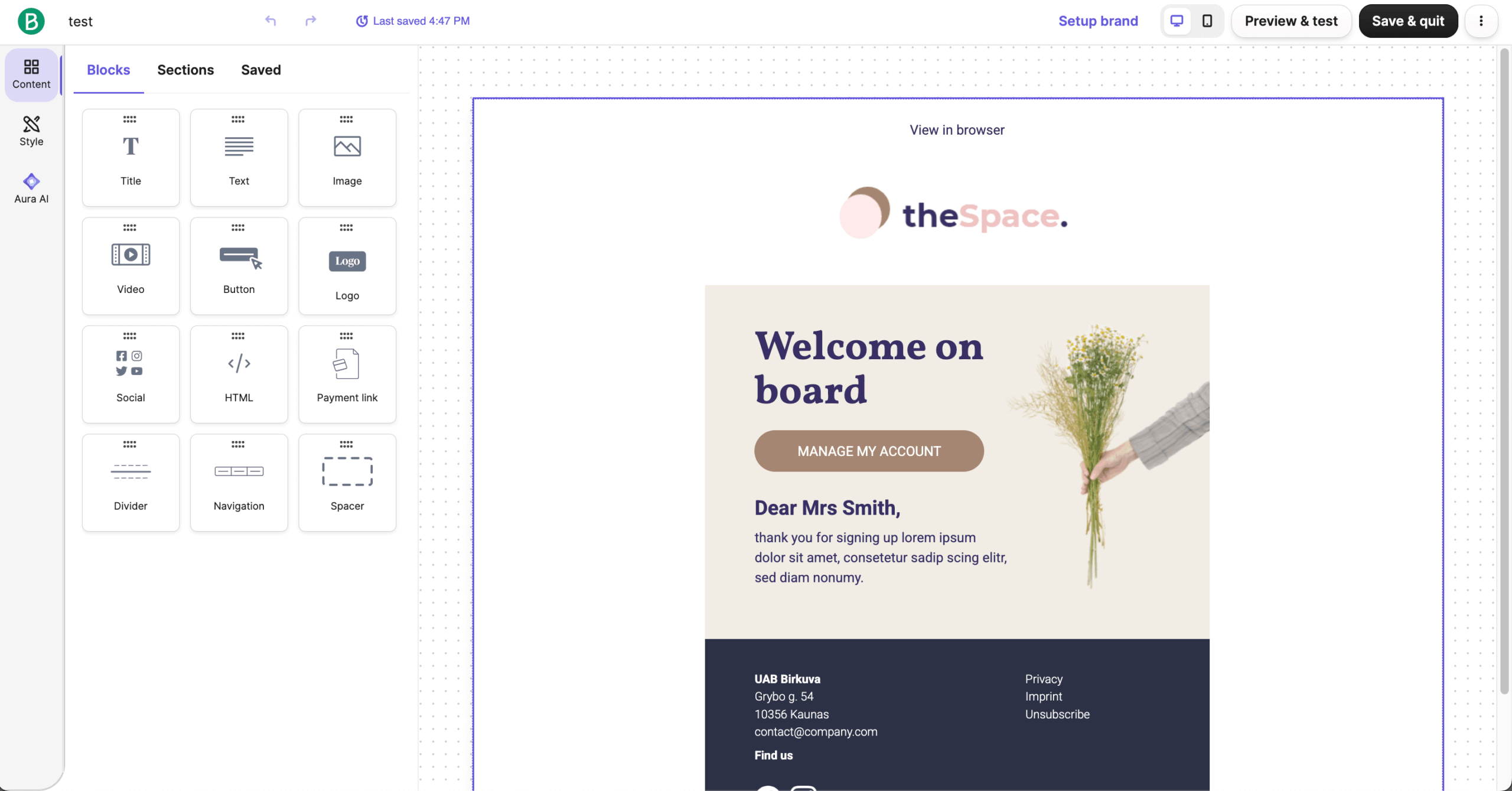
Brevo’s AI
- Aura, the AI marketing agent, generates email copy, segments audiences, picks send times and recommends products from browsing behavior across the platform.
- AI send-time optimization delivers each email when that subscriber is most likely to open, and it is listed on the Standard plan at $18/mo and above.
- The free plan allows 300 emails per day with 100,000 contacts and limited automation, and includes Aura copy generation with limited monthly use.
Where Brevo’s AI fell short
- The churn risk, predicted purchases and predictive CLV scores are only on Professional and Enterprise and need ecommerce data.
- Aura’s copy was the weakest I tested, producing short, generic blocks that needed heavy editing and suit quick subject line drafts, not full campaigns.
- Advanced AI features, listed as AI Data Analyst and AI segmentation, require the Professional plan at $499/mo.
Skip it if you expect AI to go beyond basic writing help, because Brevo’s strength is multichannel reach at a low price, not AI depth.
8. GetResponse – Best for Building a Full Campaign From One Prompt
AI score 62/100 | AI on the free plan (3 AI uses) | From $19/mo for 1,000 contacts | ChatGPT/Claude connection: yes
GetResponse suits marketers who want a landing page, a welcome email and a newsletter drafted from a single prompt. Its AI Campaign Generator takes two steps of input and returns a connected mini-funnel, and its AI landing page creator, AI website creator, and MCP server extend that beyond email copy.
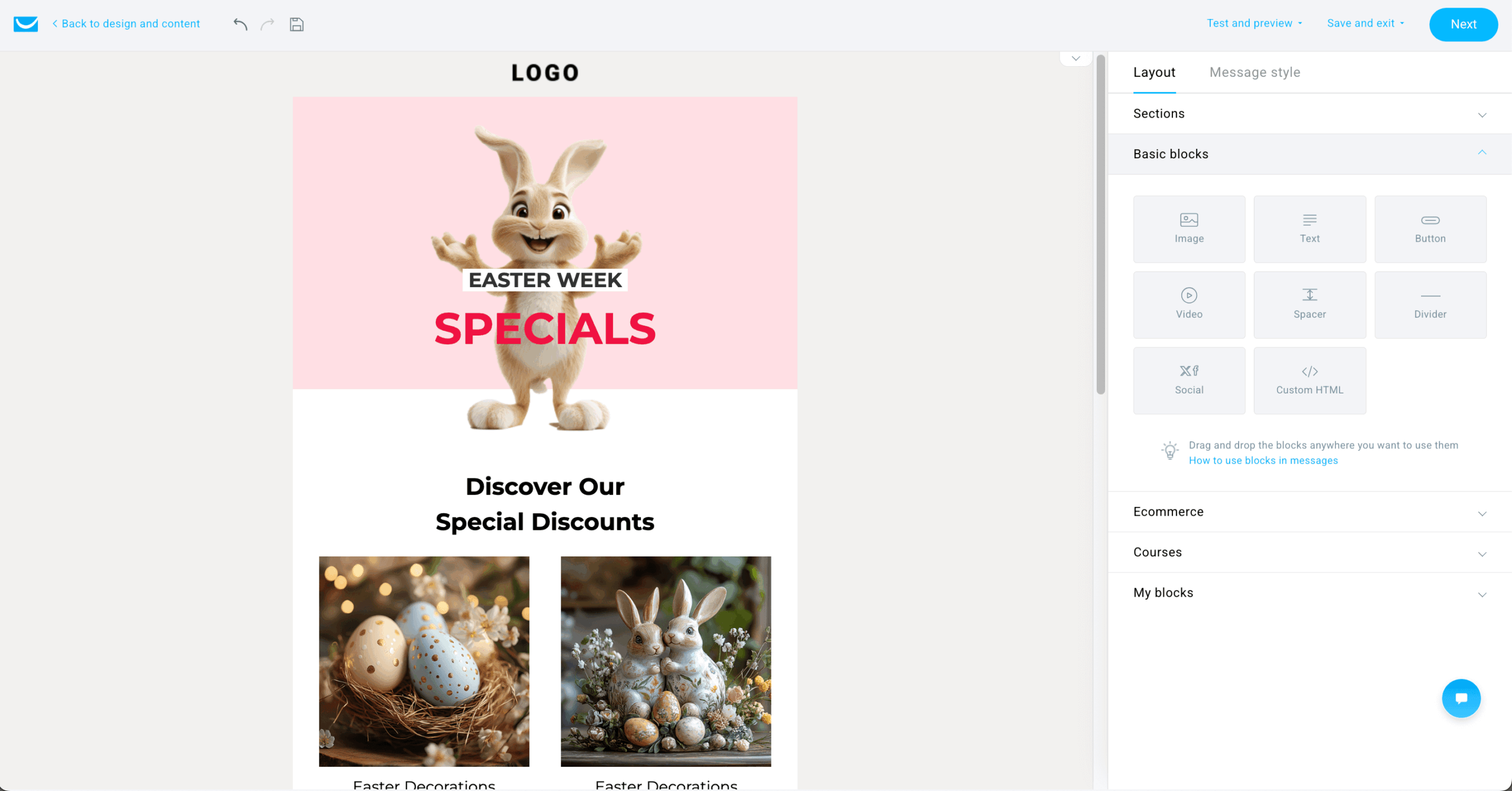
GetResponse’s AI
- AI Campaign Generator produces a landing page, welcome email and newsletter in one pass from product highlights, audience, company name and tone.
- AI Email Generator drafts body copy and subject lines in the campaign editor, following the tone you select but not learning from your past sends.
- Perfect Timing sends emails at the hour each subscriber is statistically most likely to open, based on historical engagement.
Where GetResponse’s AI fell short
- The Campaign Generator’s output is mixed: the landing pages looked polished, but the email copy was generic and needed rewriting to match brand voice.
- AI uses are capped at three on the free and Starter plans, which runs out quickly during a campaign sprint.
- There are no predictive analytics, churn scoring or lifetime value prediction, because the AI focuses on content generation.
Skip it if you need ongoing AI help beyond the initial campaign setup, because GetResponse is built around the first draft, not iteration.
9. MailerLite – Best for Simple Newsletters on a Budget
AI score 45/100 | AI on the free plan (subject line generator and MCP server) | From $12/mo for 500 contacts | ChatGPT/Claude connection: yes (MCP server)

MailerLite suits newsletter senders who want writing help, subject lines and an MCP connection at a low price. Its HeyLite AI toolkit writes email and landing page copy, generates landing page outlines from a description and, through the MCP server, lets ChatGPT or Claude draft automations.
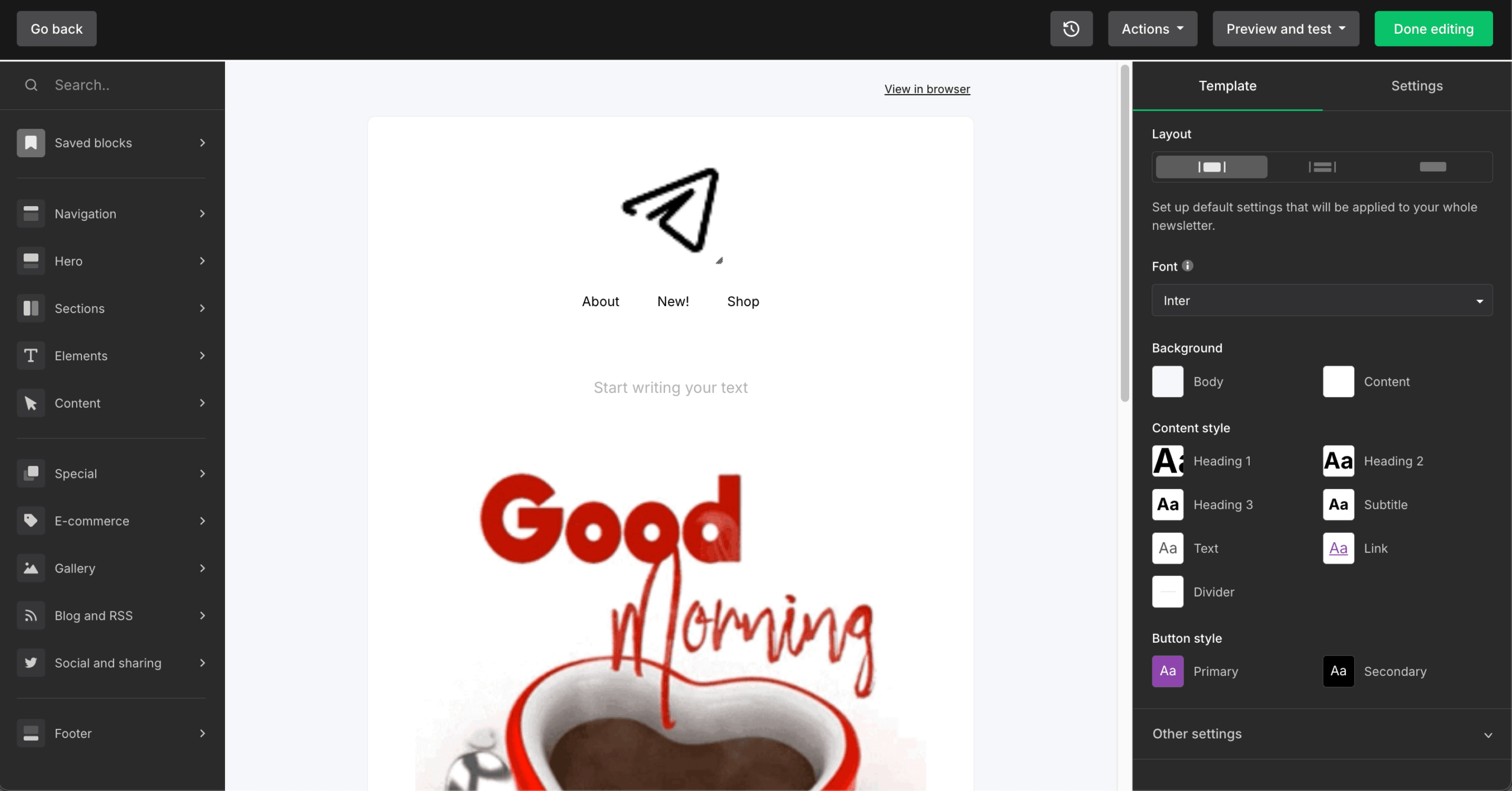
MailerLite’s AI
- AI Writing Assistant generates text from a short prompt inside the drag-and-drop, landing page and popup editors, with a choice of tone and text type.
- AI Subject Line Generator suggests several options in campaign setup, with limited credits on the free plan and more on paid plans.
- The MCP server connects MailerLite to ChatGPT, Claude and Cursor for plain-language account management, on all plans including free.
Where MailerLite’s AI fell short
- AI Writing Assistant is not on the free plan, and full AI copy generation needs the Comfort plan at $19/mo for 1,000 contacts.
- Smart Sending is paid only, so on the free plan everyone receives the campaign at the same time.
- The in-context suggestions and AI coding assistant are in beta, which the page states, and keeps the one-use landing page limit on the free plan.
Skip it if you need the AI Writing Assistant or Smart Sending on the free plan, because both need a paid plan.
10. beehiiv – Best for Newsletter Creators
AI score 55/100 | AI on the free plan (MCP server and beehiiv Agent with read-only access, AI usage limited, AI Website Builder) | From $49/mo for 1,000 subscribers (Lite) | ChatGPT/Claude connection: yes (MCP server, read-only on the free plan)

beehiiv suits newsletter creators who want an AI agent that reads their own post performance. The agent drafts campaigns, builds segments and audits welcome series, but those tools sit on the $49/mo Lite plan.
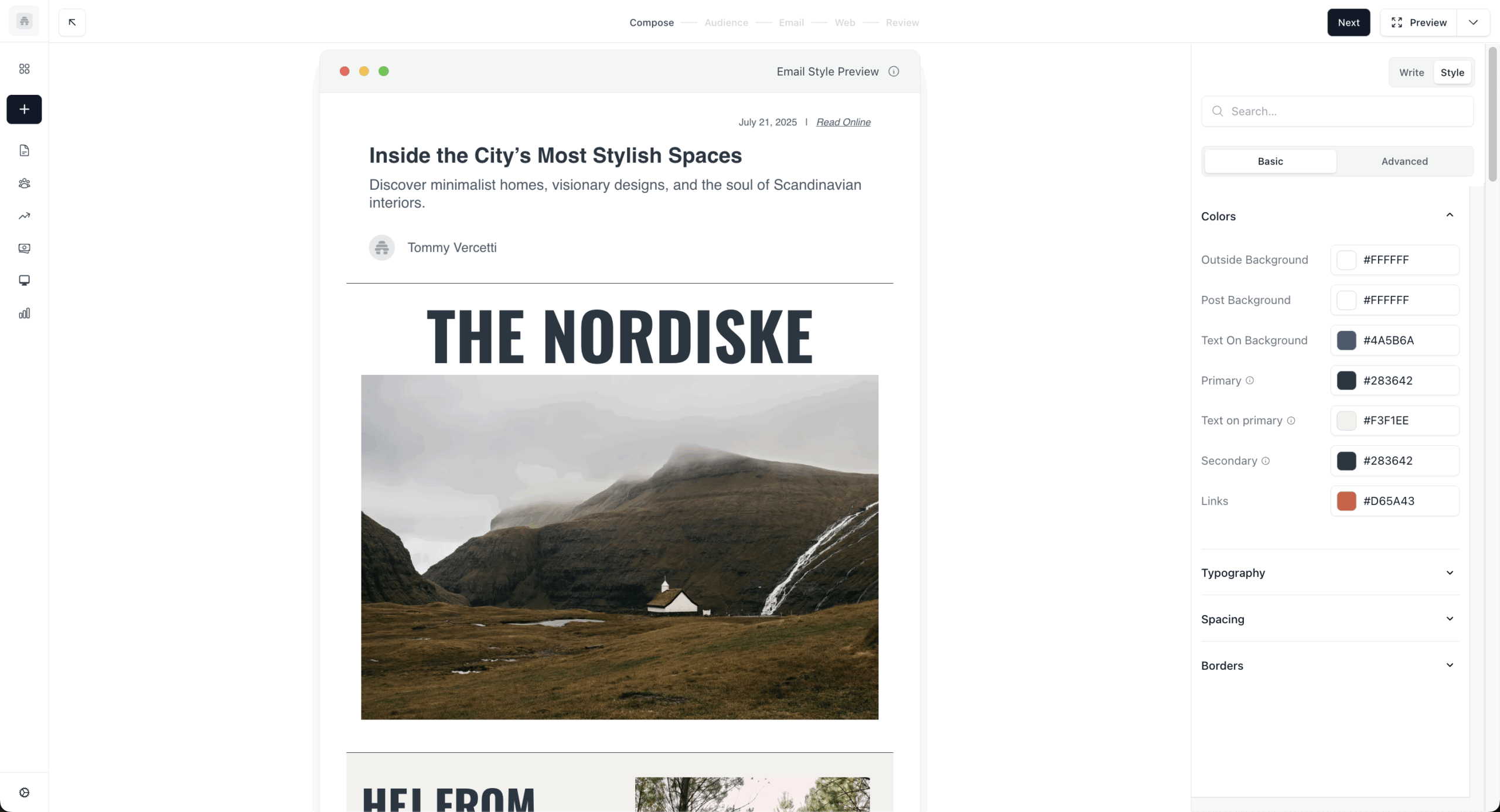
beehiiv’s AI
- beehiiv Agent drafts campaign copy, generates subject line options and sets up A/B tests from your account data.
- Performance analysis identifies traits shared by your top-performing posts and explains changes in open rates.
- The segment builder creates subscriber groups from natural-language descriptions, and the welcome series audit pinpoints where new subscribers drop off.
Where beehiiv’s AI fell short
- The free Launch plan has read-only Agent and MCP access, and the Agent’s drafting and performance analysis sit on Scale.
- beehiiv is built for newsletters, with no product recommendations, abandoned-cart workflows or purchase-based segmentation.
- The Agent’s writing is newsletter-shaped: I tested it on a promotional campaign and the draft read like a blog post, not a sales email.
Skip it if you need AI for anything beyond newsletter writing and audience analysis, because beehiiv’s AI is built for creators, not marketers.
11. Constant Contact – Best For Local Businesses and Nonprofits
AI score 42/100 | AI on the free plan none (14-day trial) | From $12/mo for 500 contacts (Lite) | ChatGPT/Claude connection: yes
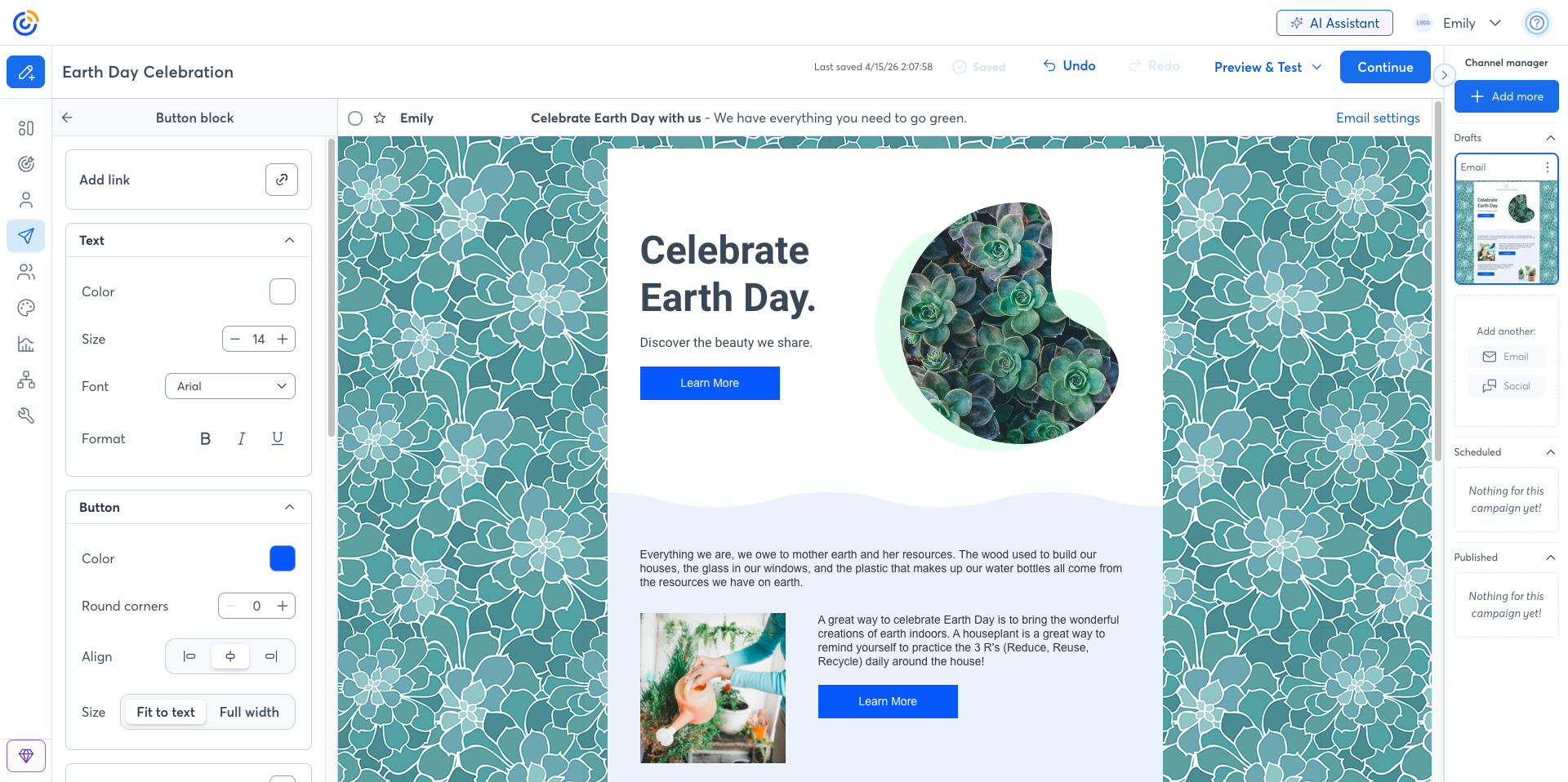
Constant Contact suits local businesses and nonprofits that want a first draft of an email, subject line and social posts from a short prompt. Its AI content generator and BrandKit, which pulls a logo, fonts and colors from your website, work inside the editor, and its ChatGPT app and Claude connector draft and preview emails and social posts from those assistants, with sending finished in Constant Contact.
Constant Contact’s AI
- AI Content Generator drafts email body copy, subject lines, social posts, SMS and landing page text from a short prompt, with a tone setting to match your brand voice.
- BrandKit crawls your website and pulls your logo, fonts and colors into a reusable template.
- Campaign Builder generates a multichannel plan of emails, social posts and timing from a stated goal, and you approve everything before it sends.
Where Constant Contact’s AI fell short
- The AI does not act between campaigns, because each feature runs only when you invoke it.
- The app and connector draft and preview but do not send, so you finish in Constant Contact.
- Output in languages other than English is weak: I tested the generator in Spanish and the phrasing was awkward enough to need a full rewrite.
Skip it if you need AI that learns and adapts, because Constant Contact’s AI is a one-time writing tool.
12. Kit – Best for Creators
AI score 35/100 | AI on the free plan (subject line suggestions, limited) | From $39/mo for 1,000 subscribers (Creator) | ChatGPT/Claude connection: yes (MCP server)

Kit (formerly ConvertKit) suits creators who write plain, personal newsletters and want to run subscriber tasks from Claude or ChatGPT. Its AI covers subject lines in the email editor and an MCP server that reads audience data and drafts and schedules broadcasts.
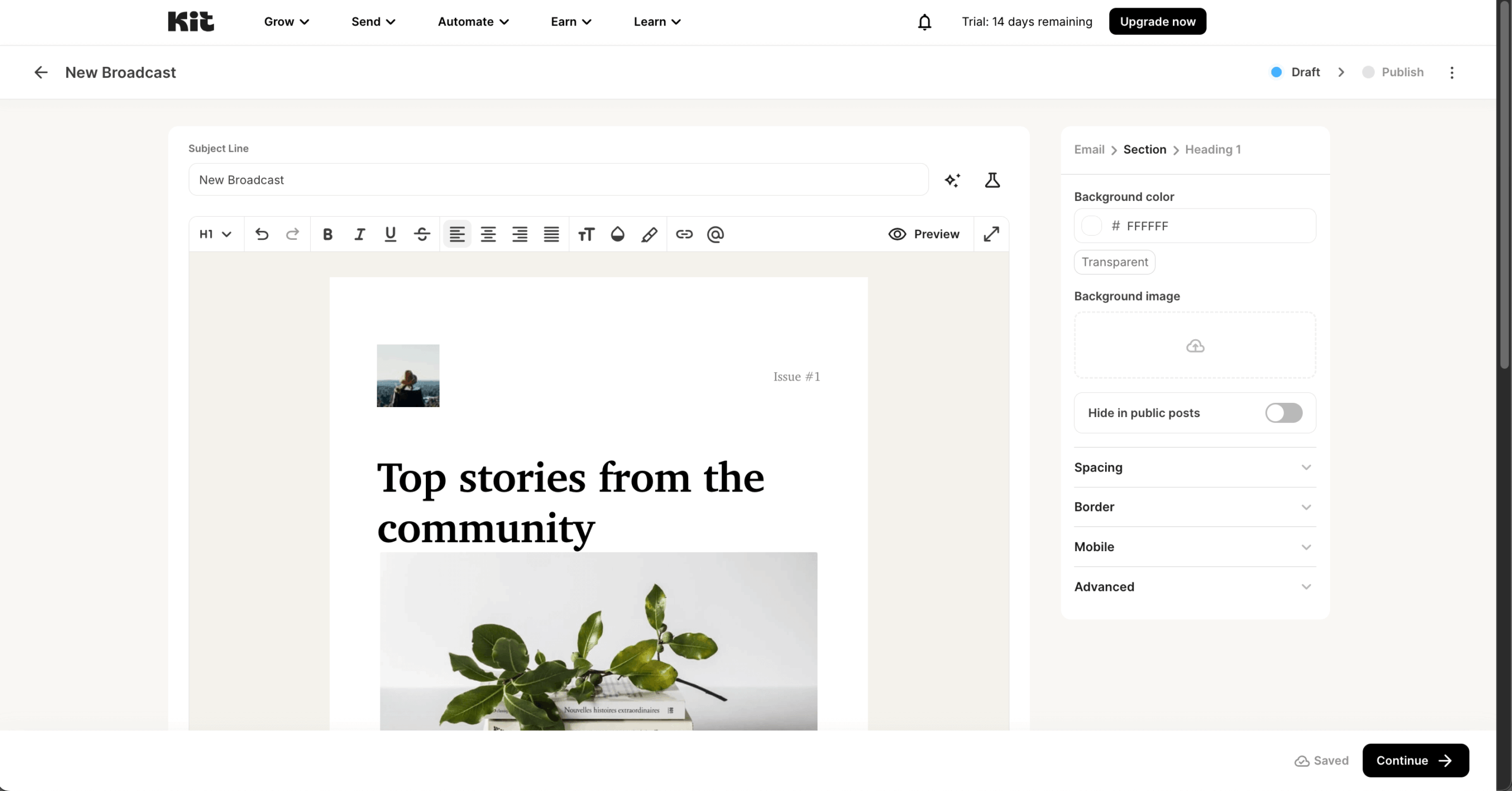
Kit’s AI
- The MCP server connects Claude, ChatGPT, Gemini and Cursor to your account, reads subscribers, segments and engagement stats, and tags subscribers, enrolls them in sequences, and drafts and schedules broadcasts.
- Subject line suggestions generate and test options inside the email editor, with limited use on the free plan.
- Kit’s AI offers building subscriber analytics, workflows and apps from plain-language descriptions, with a Kit Developer Assistant that walks through a first app.
Where Kit’s AI fell short
- Built-in AI stops at subject lines, so there is no email copy writer, send-time optimization, predictive analytics or smart segmentation inside Kit.
- Kit MCP, automated email sequences, visual automations and subscriber scoring need the Creator plan at $39/mo for 1,000 subscribers.
Skip it if you want usable AI on a free plan, because Kit’s MCP only works from Creator at $39/mo and the free plan’s AI stops at subject line suggestions.
Can ChatGPT or Claude Run Your Email Marketing?
ChatGPT and Claude cannot run email marketing end to end. An MCP connector, short for Model Context Protocol, is a link that lets ChatGPT or Claude read and change data in another app, such as your marketing software, once you approve the connection. In email marketing, you type a request such as “build a segment of subscribers who opened my last three emails but have not purchased,” and the assistant creates it in the platform.
Which platforms have one. All platforms have one: native or third-party.
What the test could and couldn’t do. Across the MCP connections, I could ask ChatGPT or Claude in plain English to draft emails and campaigns, build segments, pull performance reports and audit workflows. The limit was sending: the connections I tested leave campaigns as drafts and inactive workflows for a person to review and launch, and active workflows cannot be edited until they are deactivated.
Why sending still needs approval. The assistant builds the campaign, and a person still checks the audience, the copy and the compliance details before it goes out. Draft-only connections, where the final send or launch happens inside the email platform, put that check between the AI and your subscriber list.
What AI Can (and Can’t) Do in Email Marketing
AI in these 12 tools writes copy, builds segments, picks send times, scores customers and runs agents, but it depends on data, human review, brand voice work and compliance checks.
What AI does in the tools I tested:
- Writing and content creation. Eleven of the 12 email tools have built-in subject line or email copy generation. Sender relies on the connected assistant instead.
- Segments. ActiveCampaign groups contacts with machine learning, Omnisend sorts them into lifecycle groups, and beehiiv and Sender build segments from plain-English descriptions.
- Send time. Klaviyo, ActiveCampaign, Mailchimp, Brevo, GetResponse and MailerLite pick individual send times from historical engagement data. Constant Contact gives send-time recommendations.
- Predictions. Klaviyo predicts lifetime value, next order date and churn risk. ActiveCampaign scores leads on user behavior such as opens, clicks and website visits. Brevo’s predictive churn risk, purchase count and lifetime value scores are limited to its Professional and Enterprise plans.
- Agents and assistants. Klaviyo (Composer, Customer Agent), HubSpot (Prospecting, Data and Content agents), Brevo (Aura) and beehiiv (Agent) run multi-step tasks, while HubSpot’s Breeze Assistant and Omnisend’s AI assistant take prompts and act inside the platform.
Where AI in email marketing falls short:
- It needs customer data. Klaviyo’s predictions stay empty without a few hundred orders, and ActiveCampaign’s scoring needs engagement history.
- It needs human review. Mailchimp, Omnisend, GetResponse and Brevo drafts all needed edits before they were usable.
- It needs brand voice work. GetResponse’s email copy was generic, and Mailchimp improve only as they learn from your past sends.
- It needs compliance checks. A person owns consent and legal review.
Free AI Tools for Email Marketing
Ten of the 12 tools include some AI on a free plan. ActiveCampaign and Constant Contact offer trials only, with no free tier.
| Platform | Free Plan Limit | AI You Get For Free |
| Sender | 2,500 contacts, 15,000 emails per month | MCP server with full access |
| Mailchimp | 250 contacts, 500 emails per month | Generative AI |
| HubSpot | 1,000 contacts, 2,000 emails per month | Breeze Assistant, rate-limited to about 30 requests per minute and 1,000 per day. No agents. |
| MailerLite | 250 contacts, 2,500 emails per month | Subject line generator with limited credits, MCP server, one AI landing page generation |
| Omnisend | 250 contacts, 500 emails per month | AI assistant, MCP server |
| Klaviyo | 250 contacts, 500 emails per month | Limited, Composer use capped |
| GetResponse | 500 contacts, 2,500 emails per month | 3 AI uses |
| Brevo | 100,000 contacts, 300 emails per day | Aura AI writing, limited monthly use |
| beehiiv | 2,500 contacts, unlimited email sends | Read-only beehiiv Agent and MCP server access, limited AI usage, AI Website Builder |
| Kit | 10,000 contacts, unlimited email sends | Subject line suggestions, limited use |
| ActiveCampaign | No free plan. 14-day trial with a 100-send limit | None |
| Constant Contact | No free plan. 14-day trial | None |
How to Choose the Best AI Email Marketing Platform
Pick AI email marketing software by the job you need the AI to do:
- Ecommerce. Klaviyo if you have order history to feed its predictions. Omnisend if you want an AI assistant at a lower entry price and can do without predictive scoring.
- B2B. HubSpot if email sits inside a CRM shared with sales teams. ActiveCampaign if you want AI inside automations and can budget for the Professional plan.
- Newsletters. beehiiv for AI that reads your post performance, MailerLite for subject lines and an MCP connection, Kit for running subscriber tasks from Claude or ChatGPT.
- Budget. Brevo, Omnisend, Sender and MailerLite include AI on free plans. Check the limits first, because GetResponse’s free plan stops at three AI uses.
- Prompt-driven work. GetResponse builds a landing page and emails from one prompt. Sender, GetResponse and Omnisend let ChatGPT or Claude do the work through MCP.
Five questions to ask during a free trial or free plan:
- Does the AI run on the plan you are testing, or only on a higher tier?
- Give it a real brief. How many edits does the draft need before it matches your brand voice?
- What data does it need, such as order history or engagement history, and do you have enough of it?
- Does it act by building segments and flows, or only write? Does it stop at a draft for your approval?
- What does the AI cost beyond the plan price, in credits or a higher tier, at your list size?
FAQs
What Is the Best AI Email Marketing Tool?
Klaviyo has the deepest AI for online stores with order history, HubSpot suits B2B teams working from a CRM, and ActiveCampaign suits AI inside automations. Brevo, Sender and Omnisend include AI on free plans. The right pick depends on what you need the AI email tool to do.
Is AI Email Marketing Worth It for a Small Business?
Yes, AI for email marketing is worth it when it helps you save time on a task you repeat, such as drafting subject lines, writing copy or building segments. Ten of the 12 tools include some AI on a free plan, so you can test before paying. Basic AI features such as subject lines and copy drafts are common on free plans, while predictions and agents usually sit on paid tiers and need data, such as Klaviyo’s order history requirement.
Does AI-Written Email Hurt Deliverability?
AI-generated emails from Mailchimp, GetResponse, Omnisend and Brevo all needed rewriting before they matched a brand voice. Mailbox providers sort mail into the inbox or spam folders based on authentication, list quality and subscriber engagement, so edit AI drafts before sending.
Which Email Platforms Have AI Send-Time Optimization?
Six of the 12 platforms have AI send-time optimization: Klaviyo (Personalized Send Time), ActiveCampaign (predictive sending, Professional plan), Mailchimp (Standard plan and above), Brevo (Standard plan), GetResponse (Perfect Timing) and MailerLite (Smart Sending, Comfort plan). Constant Contact offers send-time recommendations. HubSpot uses the past 90 days of opens and clicks to suggest one best time for all recipients on Marketing Hub Professional and a time for each contact on Enterprise, though its help page does not call it AI. Sender and Kit have none.
What Are the Top 3 Email Marketing Tools?
For AI, Klaviyo (88/100), HubSpot (78/100) and ActiveCampaign (74/100) scored highest in my testing. Klaviyo suits online stores with purchase data, HubSpot suits B2B teams that run email from a CRM, and ActiveCampaign suits teams building AI-assisted automations.