Ghost Review: The Open-Source Publishing Platform for 2025
Remember when blogging platforms were simple? Before WordPress became a Swiss Army knife of features you’ll never use? Ghost emerged from that exact frustration in 2013, and honestly, it’s refreshing to see an email platform that knows exactly what it wants to be: a clean, fast way to publish content and build an audience.
What is Ghost?
Picture this: you sit down to write, and the platform just… works. No plugin conflicts, no database bloat, just you and your words. That’s Ghost in a nutshell — an open-source publishing platform built on Node.js that moves like lightning and stays out of your creative process.
You’ve got two ways to run it: grab the code and host it yourself if you’re technically inclined, or let Ghost (Pro) handle the messy server stuff while you focus on creating.
What makes Ghost different? It’s not trying to be everything. While WordPress morphed into a website builder that happens to have a blog, Ghost stayed laser-focused on publishing. Built-in memberships, native newsletters, and SEO tools come standard — no Frankenstein plugin setup required. The whole thing runs on Node.js, which means your pages load before readers get impatient and bounce.
Ghost Key Features
Ghost’s email system lives right inside the platform — write once, publish everywhere. When you hit publish, your content can go live on your site and shoot out to subscribers’ inboxes simultaneously. No juggling between your CMS and Mailchimp. The newsletter builder gives you enough control to make emails look professional (custom headers, colors, typography) without drowning in options.
You can slice your audience however you want: free members only, paid subscribers, specific tiers, or custom labels you’ve created. Testing matters, so Ghost lets you send yourself preview emails before blasting your entire list. And yes, all the boring compliance stuff like unsubscribe links and bounce handling happens automatically. Ghost(Pro) users don’t even think about email delivery — it just works.

Every email Ghost sends looks good, period. The templates are tested across Gmail, Outlook, Apple Mail — all the usual suspects — so you don’t get those embarrassing formatting disasters. The responsive design means your newsletter looks sharp whether someone’s reading on their phone during their commute or on a desktop at work.
Want multiple newsletters? Go for it. Create a weekly roundup for casual readers and a deep-dive series for paying members. Each can have its own look and subscriber list. The editor gives you drag-and-drop control over the visual stuff, but it’s not overwhelming. Dynamic content cards let you embed products, CTAs, or member-only teasers without touching code.
Let’s be real: Ghost isn’t trying to be HubSpot. Its automation focuses on the basics that actually matter for publishers. Hit publish once, and your post goes live while emails fly out to the right segments. New subscriber? They get a welcome email automatically. Payment failed? Ghost handles the retry logic.
The magic happens when you connect Ghost to other tools through Zapier or webhooks. Suddenly, new members trigger Slack notifications, published posts create social media drafts, and subscriber data syncs with your CRM. But if you’re looking for complex drip campaigns with behavioral triggers? Ghost keeps it simple — maybe too simple for some.
The member dashboard tells you what you need to know without information overload. Watch your subscriber count climb, track which posts convert free readers to paid members, see where people drop off. It’s enough data to make smart decisions without drowning in analytics paralysis.
Membership tiers let you get creative with pricing. Maybe $5/month for the newsletter, $15 for exclusive content, $50 for everything plus monthly Zoom calls. Labels help you tag and segment beyond the basic paid/free split — think “founding members” or “workshop attendees.”
Ghost tracks where each member came from (Twitter, Google, that viral post), so you know what’s actually working. Stripe handles the money stuff, keeping you PCI compliant without the headache.
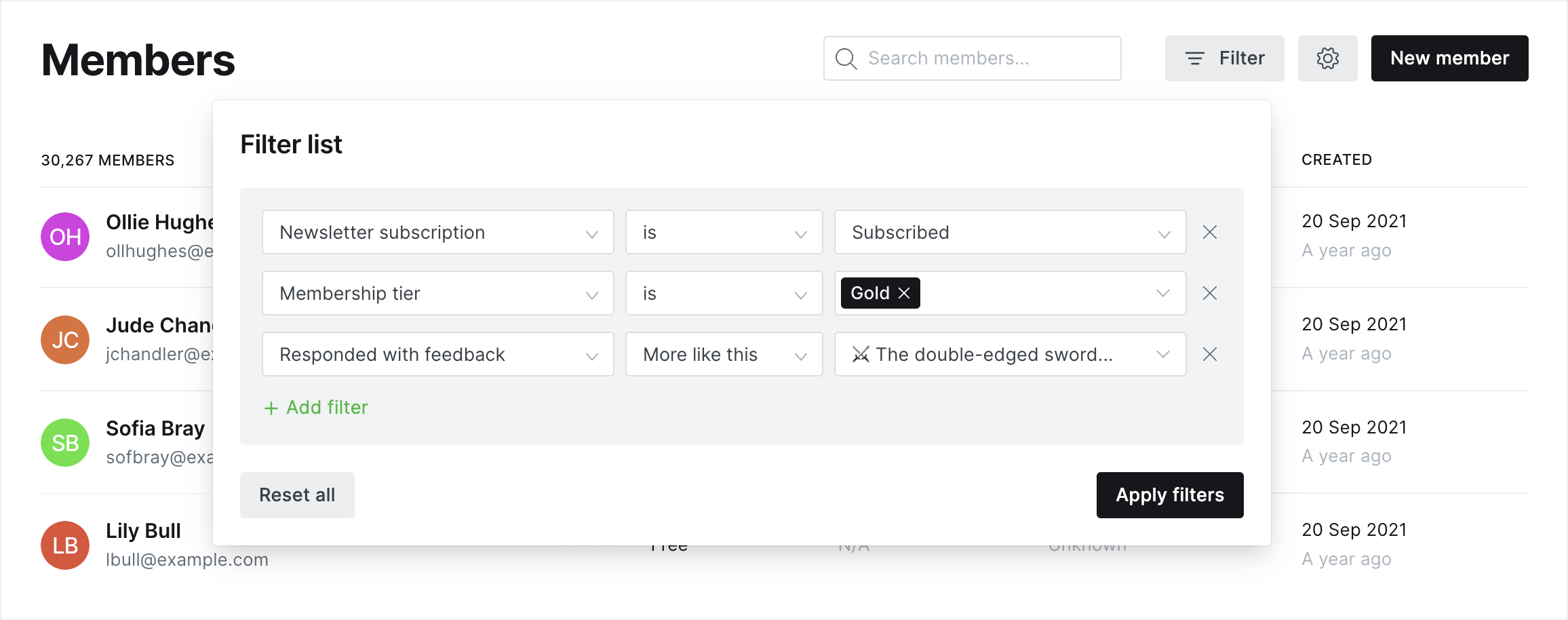
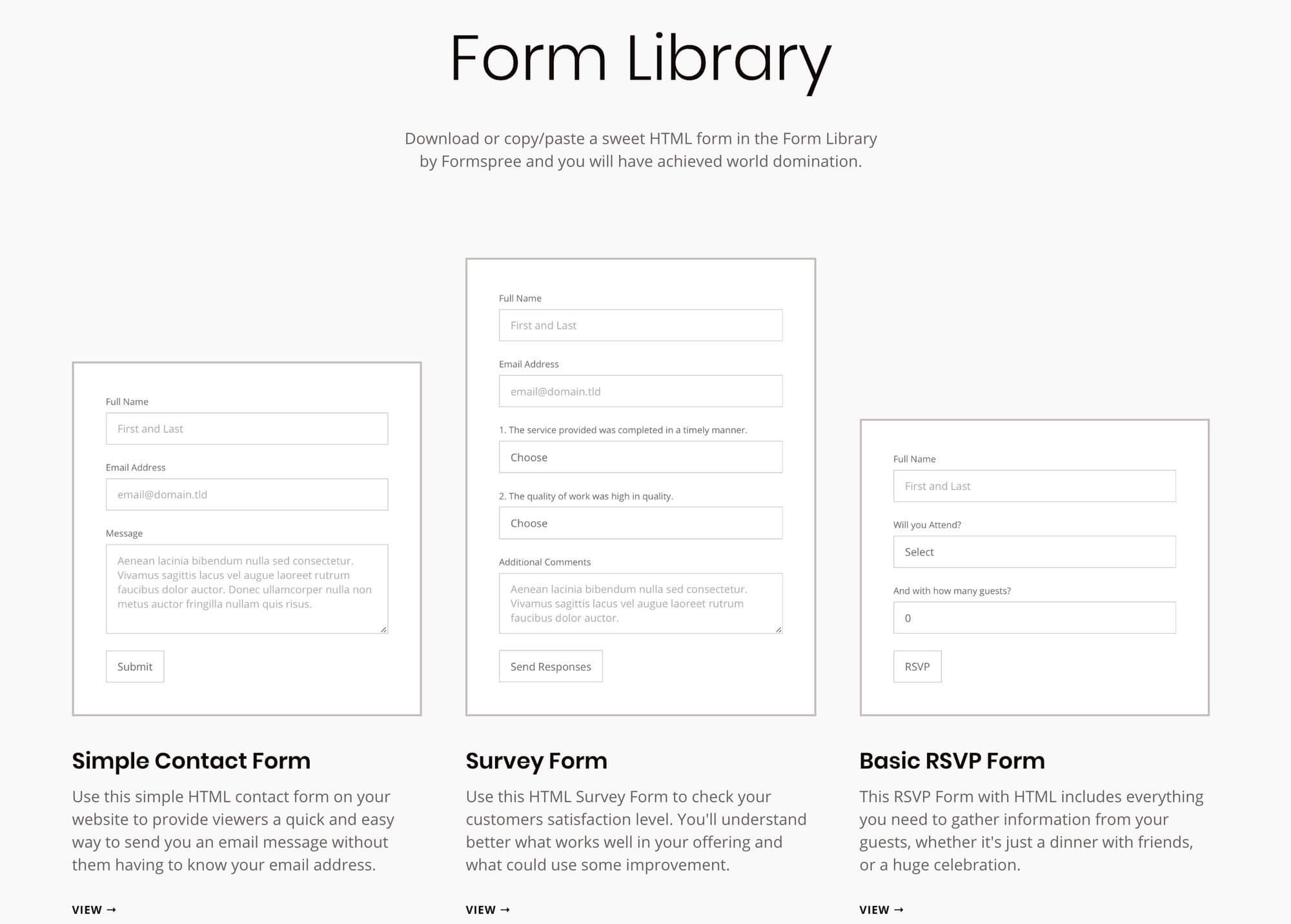
Ghost’s landing pages won’t win design awards, but they convert. The theming system lets you build dedicated signup pages, about sections, or resource libraries that match your main site. Forms pop up where you need them — inline with content, as exit-intent popups, or on dedicated subscription pages.
The member portal is surprisingly polished. Subscribers manage their own preferences, update credit cards, download invoices — all the self-service stuff that would otherwise flood your inbox.
You can add custom fields to collect more than just email addresses (job title, interests, whatever helps you understand your audience). Some users run A/B tests on different form placements, though it takes a bit of creativity since it’s not built-in.
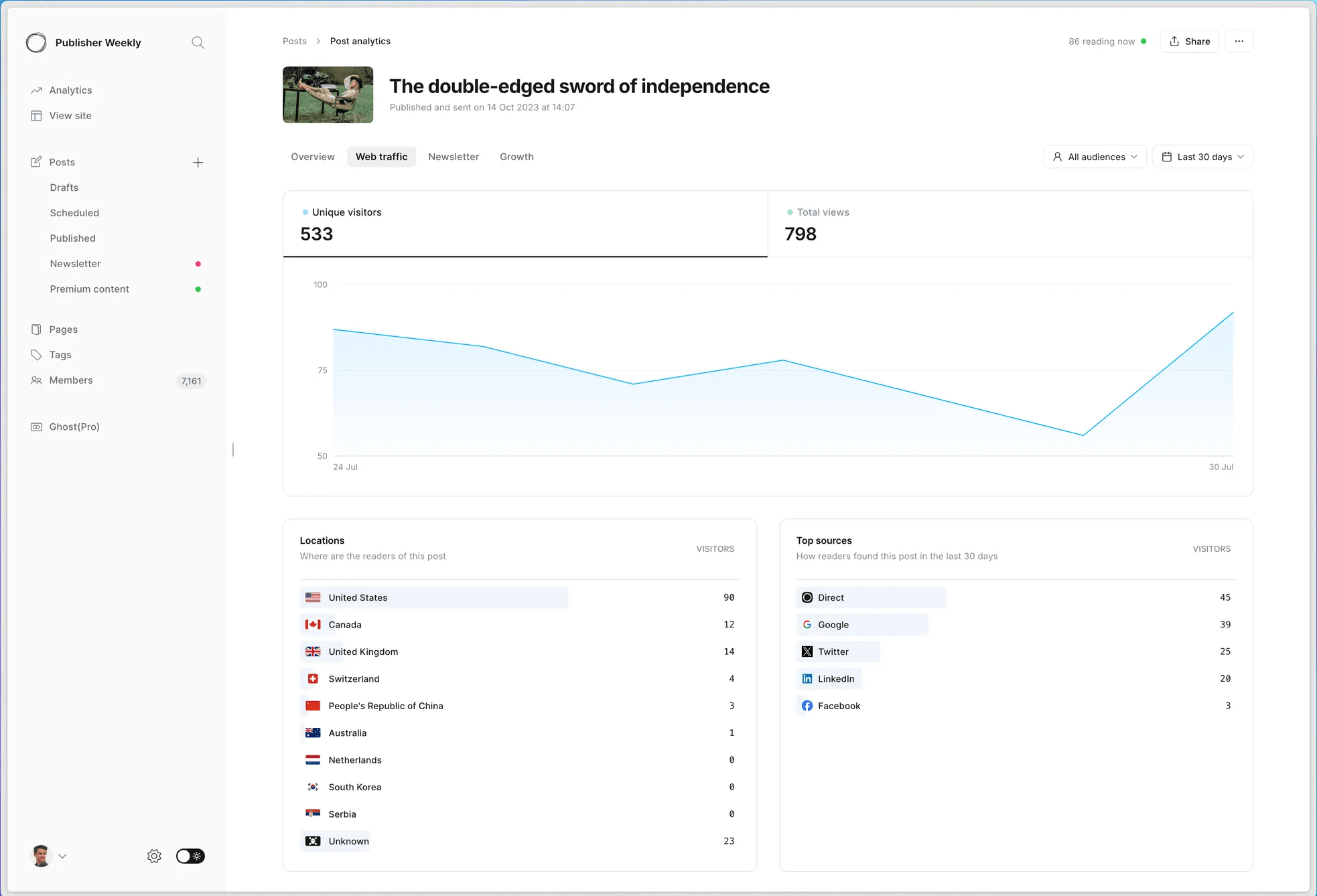
Ghost 6.0 finally brought native analytics that don’t require a computer science degree to understand. Open rates, click rates, engagement trends — it’s all there in the dashboard, updated in real-time. No more jumping between Ghost and Google Analytics just to see how your last post performed.
For paid newsletters, the revenue metrics are gold. Watch monthly recurring revenue, track churn, calculate customer lifetime value. You can see which posts drive the most upgrades from free to paid.
Member attribution shows the full journey — someone read three free posts, hit the paywall on the fourth, then subscribed. Integration with Google Analytics still works if you need deeper dives into user behavior.
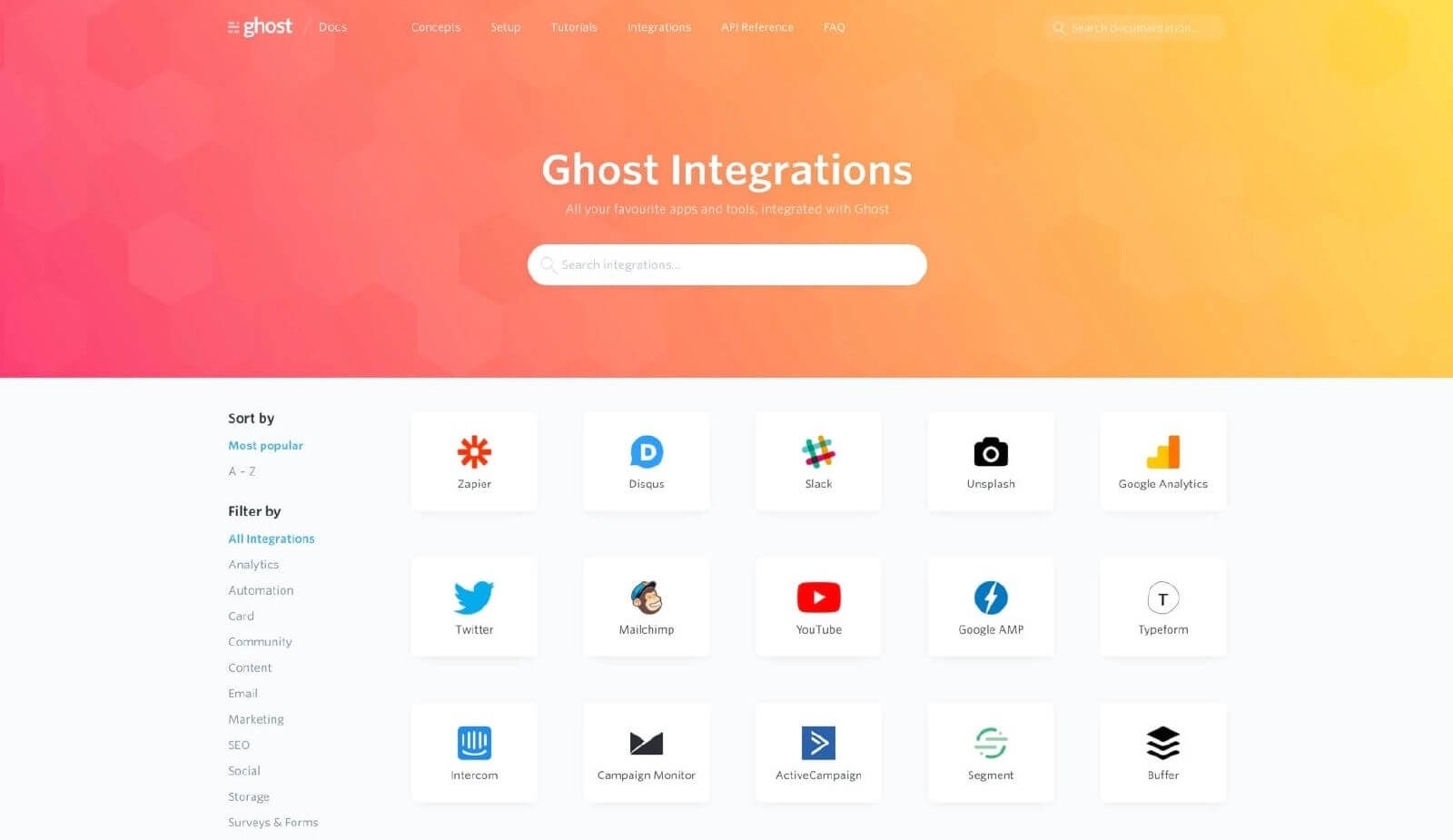
Ghost plays nice with others. The Content API and Admin API let developers build whatever custom integrations they dream up. Running Ghost as a headless CMS for your React app? No problem. Want to pull subscriber data into your data warehouse? The APIs are there.
Out of the box, you get official integrations with the usual suspects: Zapier for automation, Slack for notifications, Google Analytics for tracking. Webhooks fire when things happen — new post published, member subscribed, payment received. Custom themes use Handlebars templating, which feels dated but works reliably. The REST API documentation is actually readable, which is more than most platforms can say.
Here’s where things get interesting. Ghost(Pro)’s support depends on what you’re paying. The basic tier gets you Monday-Friday email support — no weekend coverage — which has frustrated more than a few users. Spring for the higher tiers, and response times improve dramatically.
The documentation is solid, covering everything from basic setup to advanced theme development. The community forum surprises with how helpful people are, though you’re rolling the dice on response times. Self-hosted users are basically on their own unless they hire a developer. It’s the trade-off for going the DIY route.
Ghost Pricing Plans and Value
Ghost’s pricing model is refreshingly straightforward. No transaction fees eating into your revenue — just pay for hosting and keep everything you earn.
Plan
Price (Annual)
Members Limit
Key Features
Self-Hosted
Free (+ hosting costs)
Unlimited
Total control, need tech skills, all features unlocked
Starter
$9-18/month
500-1,000
Managed hosting, automatic updates, email support
Creator
$25-29/month
1,000-2,000
Faster support, custom themes, priority features
Business
$199+/month
10,000+
White-glove support, custom integrations, uptime guarantee
Ghost Pros and Cons
- No revenue sharing — keep 100%
- Blazing fast page loads
- SEO built right in
- Writing experience is sublime
- Open-source freedom
- Memberships just work
- Email automation is pretty basic
- Learning curve if you’re not technical
- Can’t match dedicated email tools
- No plugin marketplace
- Weekend support? Forget it
- Stuck with Mailgun for bulk email
Pros
Ghost absolutely flies. We’re talking sub-second page loads that make WordPress sites feel like they’re running through molasses. Google loves fast sites, and Ghost delivers without any optimization plugins or CDN configuration. The zero platform fee philosophy means if you make $10,000 from subscriptions, you keep $10,000 (minus Stripe’s cut, obviously).
The writing experience feels like someone actually thought about writers for once. Markdown support for speed demons, rich editor for visual folks, and it all stays out of your way. Memberships and payments work right out of the box — no WooCommerce wrestling or MemberPress configuration marathons. Your content, your subscribers, your payment relationships — you own it all.
And the SEO stuff? Automatic sitemaps, structured data, social cards — it’s handled without you lifting a finger.
Cons
If you’re coming from Mailchimp or ConvertKit, Ghost’s email features feel basic. No sophisticated automation sequences, limited segmentation options, and forget about behavioral triggers. Self-hosting requires actual technical chops — we’re talking command line, server management, the works. Not exactly beginner-friendly.
Want to customize your theme beyond basic colors? Better know some HTML and CSS. That beautiful theme marketplace WordPress has? Ghost’s is tiny by comparison. The Mailgun-only email requirement annoys plenty of users who prefer SendGrid or Amazon SES. And that weekend support limitation on lower tiers? Your site goes down Saturday morning, you’re waiting until Monday for help.

Should You Choose Ghost?
Best For
Not Recommended For
Serious writers who value speed
Ecommerce stores needing catalogs
Newsletter publishers wanting integration
Visual builders and drag-and-drop fans
Paid newsletter businesses
Marketing automation power users
Developers building custom platforms
Multi-language sites
SEO-obsessed content creators
Plugin collectors
Who Ghost is Perfect For
Professional writers and journalists love Ghost because it gets out of the way. No feature creep, no plugin conflicts, just a clean space to write and publish. If you’re monetizing through subscriptions and tired of Substack taking 10%, Ghost’s zero-fee model starts looking really attractive.
Digital publications that need speed and scale find Ghost’s architecture perfect. Newsletter creators graduating from Mailchimp get everything in one place without the complexity. Developers building custom publishing platforms appreciate the clean APIs and predictable behavior. Anyone who’s fought with WordPress performance issues sees Ghost’s speed as a revelation.
Who Should Consider an Alternative
Running an online store? Ghost isn’t built for that — grab Shopify or WooCommerce instead. If you need visual page builders and drag-and-drop everything, you’ll find Ghost frustrating. Marketing teams expecting sophisticated marketing automation should check out Sender, which offers proper email marketing features at competitive prices without the platform lock-in.
Hobby bloggers wanting free hosting and infinite plugins will be happier with WordPress.com. Large newsrooms needing complex editorial workflows might find Ghost too simple. And if you’re building a multi-language site? Ghost doesn’t really do that well.
Ghost User Experience and Reputation

G2 Reviews Summary
G2 users give Ghost 4.1 out of 5 stars, and the pattern is clear: writers love it, marketers find it limiting. The speed difference from WordPress gets mentioned constantly — people seem genuinely surprised their sites can load that fast. The clean interface wins fans who are tired of cluttered dashboards and menu sprawl.
The complaints? Usually from folks expecting WordPress-level customization options. “Where are all the plugins?” comes up a lot. But users running membership sites rave about how simple Ghost makes the whole subscription business. The writing experience gets called “sublime,” “distraction-free,” and “actually enjoyable” — high praise in the CMS world.
Capterra Reviews Summary
Capterra’s 4.7-star rating tells a similar story. Small publishers and content creators sing Ghost’s praises, especially those who’ve successfully migrated from WordPress. The word “simple” appears in nearly every positive review, usually as a compliment. Performance improvements after switching get specific mentions — “50% faster,” “Core Web Vitals all green,” that sort of thing.
The learning curve frustrates non-technical users, though many admit it’s worth it once they adjust. Pricing comes up as both a pro and con — some love the transparent pricing and no commission fees, others find the entry-level hosting costs steep compared to shared WordPress hosting.
Trustpilot Reviews Summary
Trustpilot’s 2.1 stars reflect a wider range of user experiences. Happy customers focus on the publishing experience and lack of bloat. One reviewer nailed it: “They are extremely focused on publishing and that’s the beauty: you can’t mess up.” The frustrated reviews? Mostly about support response times and refund policies.
Technical users praise the headless CMS capabilities and API flexibility. Several mention building entire businesses on Ghost’s infrastructure. But beginners expecting WordPress-style hand-holding leave disappointed. The divide is pretty clear: if you want simplicity and speed over features, you’ll probably love it. If you need everything and the kitchen sink, you won’t.
Ghost Alternatives
Ghost combines a fast publishing site, memberships and newsletters in one open-source platform, and it takes 0% of your subscription revenue. But unless you self-host, it costs money from day one, paid subscriptions require its Publisher plan, its email tools cover sending and segments but not automation journeys, and there’s no built-in network to help readers find you. These four alternatives cover the most common reasons people look elsewhere.
Substack: best for built-in discovery
Substack makes sense if you just want to write and let the platform help you grow. It’s free to start, and its recommendation network and Notes feed are among the strongest organic growth engines for independent writers. The trade-off is cost once you monetize: Substack keeps 10% of paid subscription revenue, which reaches 13–16% once Stripe fees are included, compared with Ghost’s 0%. You also get much less control over your site’s design and branding. Read our full Substack review.
Beehiiv: best for newsletter growth tools
Beehiiv is the one to pick if growing and monetizing a newsletter matters more than running a full publication site. Its free plan covers 2,500 subscribers with unlimited sends, and its paid Scale plan adds an ad network, Boosts, a referral program and automations, while still taking 0% of paid subscriptions. The trade-off is that its monetization and automation tools all require a paid plan, it’s not open source or self-hostable, and its website is less of a full publishing platform than Ghost. Compare the details in Ghost vs. Beehiiv.
WordPress: best for full website flexibility
WordPress suits publishers who want complete control over what their site can do. As the most widely used open-source CMS, it gives you a huge library of themes and plugins, so you can build anything from a simple blog to an online store or membership site. The trade-off is that newsletters and paid memberships require extra plugins or services, and you’re responsible for hosting, updates and security, which means far more setup and maintenance than Ghost.
Sender: best for email marketing automation
Sender suits publishers who like Ghost for their site but need more from their email. Its free plan covers 2,500 subscribers and 15,000 emails a month and includes automation workflows, segmentation and landing pages, with SMS on paid plans, so you can build welcome series and behavior-based campaigns that Ghost doesn’t support. The trade-off is that Sender isn’t a CMS: there’s no blog, SEO publishing tools or paid membership system, so most Ghost users connect the two rather than replacing one with the other. Read our full Sender review.
Which alternative should you choose?
Pick based on what’s pushing you away from Ghost:
- Want help getting discovered: Substack
- Want newsletter growth and monetization tools: Beehiiv
- Need complete control over your website: WordPress
- Need stronger email automation: Sender
Bottom Line — Is Ghost Really Your Tool?
Ghost isn’t trying to be everything to everyone, and that’s exactly why it works. For serious publishers who care more about writing and monetizing than widgets and plugins, it’s probably the best option available. The speed is addictive, the writing experience is genuinely pleasant, and keeping 100% of your subscription revenue feels like how things should work.
Yeah, the technical requirements scare off beginners, and the email features won’t satisfy power marketers. If you need sophisticated automation, pair it with something like Sender or accept the limitations.
But for what it’s designed to do — let writers write, publishers publish, and creators create without the usual CMS nonsense — Ghost nails it. Sometimes the best feature isn’t what a platform includes, but what it leaves out.
Who's behind these reviews?

- Hands-on testing across multiple email marketing tools
- Fair comparisons using a unified evaluation process
- Insights verified with real user reviews from trusted sources
- No sponsorships or affiliate ties
- Clear, unbiased scoring and methodology