Postmark starts at $15/month for 10,000 emails, with overage charged at $1.80 per additional 1,000 emails on its Basic plan. It also offers a free Developer tier, but that’s limited to just 100 emails per month.
As sending volume grows, teams may start looking elsewhere – especially if they need lower marginal costs, broader messaging capabilities, or less developer-centric tooling. That’s where finding the right Postmark alternative becomes important.
This guide compares leading Postmark competitors for transactional emails, looking at pricing, deliverability controls, APIs, and operational fit. Whether you’re replacing Postmark entirely or adding another platform to your email marketing stack, you’ll find options suited to different budgets, workflows, and sending volumes.
What Postmark Costs, and Who Outgrows It
Postmark’s paid plans currently start with 10,000 emails per month, while its Free tier includes 100 emails and does not allow overages.
| Plan | Monthly | Emails included | Per extra 1,000 |
| Free | $0 | 100 | No overages |
| Basic | $15 | 10,000 | $1.80 |
| Pro | $16.50 | 10,000 | $1.30 |
| Platform | $18 | 10,000 | $1.20 |
At 125,000 emails/month, staying on Postmark’s Basic tier would work out to $115/mo. By comparison, Amazon SES outbound sending currently costs $0.10 per 1,000 emails, or about $10 for 100,000 emails, before data transfer or optional add-ons.
Unforecast volume: Postmark keeps sending when a paid plan’s allowance is exceeded, but every additional 1,000 emails adds an overage charge. That makes sudden traffic spikes harder to budget for than flat or lower-cost usage pricing.
Dedicated-IP plan gate: Dedicated IPs start at $50/month per IP, are available only on Pro or higher, and require sending at least 300,000 emails per month. Teams wanting IP-level reputation control earlier may need a Postmark alternative.
Capability needing a second tool: Postmark supports transactional and broadcast email, but it expects you to manage your main subscriber lists outside the platform. Teams that want built-in list management and broader marketing workflows may therefore need an additional tool.
Why Consider Postmark Alternatives
Postmark has built a strong sender reputation around reliable email delivery and strict separation from marketing traffic. That focus is also its constraint. Many teams outgrow Postmark when they need more flexibility, lower marginal costs, or closer alignment with broader messaging workflows.
Common reasons teams explore Postmark alternatives include:
- Strict account approval notifications/suspension policies: Postmark’s tight sender vetting and low tolerance for spam complaints help protect deliverability, but they also seem to lead rejected accounts, paused sending, or broader account suspensions;
- Limited scope: While Postmark offers tools to send basic marketing messages via Message Streams (free) add-on, it’s mostly tailored for transactional broadcasts – which will be limiting for those looking for traditional marketing campaigns.
- Operational simplicity: Smaller teams often want fewer vendors and a single dashboard for email infrastructure;
- Limited deliverability tools: Postmark’s strict, managed approach reduces misconfiguration risk, but it also gives teams less flexibility around dedicated IPs, routing, fallback logic, IP reputation monitoring, and advanced deliverability diagnostics.
What to Look for in a Transactional Email Provider
Before comparing tools, it helps to define what “better” actually means for your setup. Transactional email needs are surprisingly contextual, let alone consistent across different teams, applications, and stages of growth.
That said, here are some criteria you should pay a closer look at when picking your Postmark alternative:
- API & SMTP quality. Stable endpoints, predictable rate limits, clear error handling, and reliable SMTP relay reduce delivery failures and simplify integration across different applications and environments;
- Deliverability tools. Built-in IP warm-up, bounce handling, suppression lists, and reputation monitoring help maintain inbox placement as sending volume grows or traffic patterns change;
- Developer experience. Well-maintained SDKs, clear documentation, and consistent API behavior shorten implementation time and reduce long-term maintenance overhead;
- Compliance. Support for GDPR, SOC 2, and HIPAA helps meet regulatory requirements when sending sensitive or user-related system communications;
- Pricing transparency. Clear volume-based or flat-rate pricing makes it easier to forecast costs as transactional email usage scales;
- Support & SLAs. Responsive customer support, documented SLAs, and clear escalation paths matter when transactional email directly affects user experience or revenue.
Compliance: GDPR, SOC 2, and HIPAA
HIPAA should be the first filter when choosing a transactional email provider. If you handle protected health information (PHI), the provider needs to support HIPAA workloads and offer a Business Associate Agreement (BAA). GDPR and SOC 2 are important, but neither replaces a BAA.
| Provider | GDPR | SOC 2 | HIPAA BAA | Data residency |
| Postmark | ✅ | ❌ | ❌ | US |
| Sender | ✅ | ✅ | ✅ | EU |
| SendGrid | ✅ | ✅ | ❌ | US; EU option available |
| Mailtrap | ✅ | ✅ | ❌ | US |
| Mailgun | ✅ | ✅ | ✅ | US or EU |
| Amazon SES | ✅ | ✅ | ✅ | Multiple AWS regions |
| Resend | ✅ | ✅ | ❌ | US |
| Brevo | ✅ | ❌ | ❌ | EU – France, Germany, Belgium |
| Mandrill | ✅ | ✅ | ❌ | US |
Postmark Alternatives Compared
| Provider | Free tier | 10k email sends /month | 100k email sends/month | Dedicated IP | Best for |
| Postmark | 100 emails/mo | $15 | $115 | Available for $50/mo with Pro and Platform plans with 300k+ sends | Focused transactional email and deliverability |
| SendGrid | 100/day for 60 days | $20 | $20 | 1 IP included on Pro ($89.95+) | High-volume SaaS and established sending operations |
| Mailtrap | 4,000 emails/mo | $15 | $85 | Included on Business | Product and engineering teams prioritizing deliverability |
| Sender | 15,000 emails/mo, 2,500 subscribers | $10 | $57 | Available on Professional plan at 20k+ subscribers | Small businesses wanting affordable transactional + marketing email |
| Mailgun | 100 emails/day | $15 | $75 | Available on Scale | Developer-led teams needing API and routing control |
| Amazon SES | $200 worth of credits for new Amazon SES accounts | $1.60* | $16* | Add-on – $25/mo; also included with managed-IP features on Pro | Cost-sensitive, technically experienced high-volume senders |
| Resend | 3,000 emails/mo | $20 | $90 | $30/mo add-on on Scale | Modern product teams prioritizing API and developer experience |
| Brevo | 300 emails/day | $17 | $82 | Add-on – $251/year; Professional/Enterprise | Teams wanting email, CRM, automation, and SMS together |
| Mandrill | Up to 500 trial sends | $20 | $80 | Add-on – $29.95/mo | Existing Mailchimp users needing transactional email |
Quick Picks: Find the Perfect Postmark Alternatives Fast
Use this list to quickly match your transactional email needs with the right Postmark alternatives.
- Best for Ecommerce: Brevo (Handles order confirmations, shipping updates, and account notifications alongside optional marketing and SMS.)
- Best Free Plan: Sender (Free plan supports real transactional sending with SMTP/API and domain authentication, suitable for testing and early production use.)
- Best Developer Experience: Mailtrap (Official SDKs for Node.js, Python, PHP, Ruby, Java, and .NET with ready-to-use code snippets.)
- Best for Startups/SMBs: Sender (Predictable pricing, low setup overhead, and transactional email included on all plans.)
- Best Budget Option: Amazon SES (Very low per-email cost for high-volume transactional sending, assuming in-house operational management.)
- Best for Enterprise/Agencies: SendGrid (Enterprise-scale infrastructure, advanced APIs, and dedicated IP options for mission-critical volume.)
8 Best Postmark Alternatives Reviewed
SendGrid – Scalable Marketing + Transactional Platform
SendGrid, now owned by Twilio, is built for volume, and both its strengths and its friction follow from that.

Dynamic transactional templates are the standout: developers call the API against pre-built layouts while marketers edit copy without a redeploy. Deliverability insights, bounce tracking, and engagement analytics sit in one dashboard, which saves you real time during an incident.
Dedicated IPs isolate reputation once volume justifies them – I’ve set these up for several enterprise clients – though they arrive with the Pro plan at $89.95 a month, not Essentials.
The friction is complexity and cost. SendGrid bills Email API and Marketing Campaigns as separate products, one by emails sent and the other by contacts stored, and confusing the two produces most of the surprise invoices.
On shared IP pools, I’ve watched receiving ISPs defer mail during traffic surges – survivable for campaigns, less so for OTPs. Smaller teams will find the setup heavier than they need; teams already at scale will find it worth the overhead.
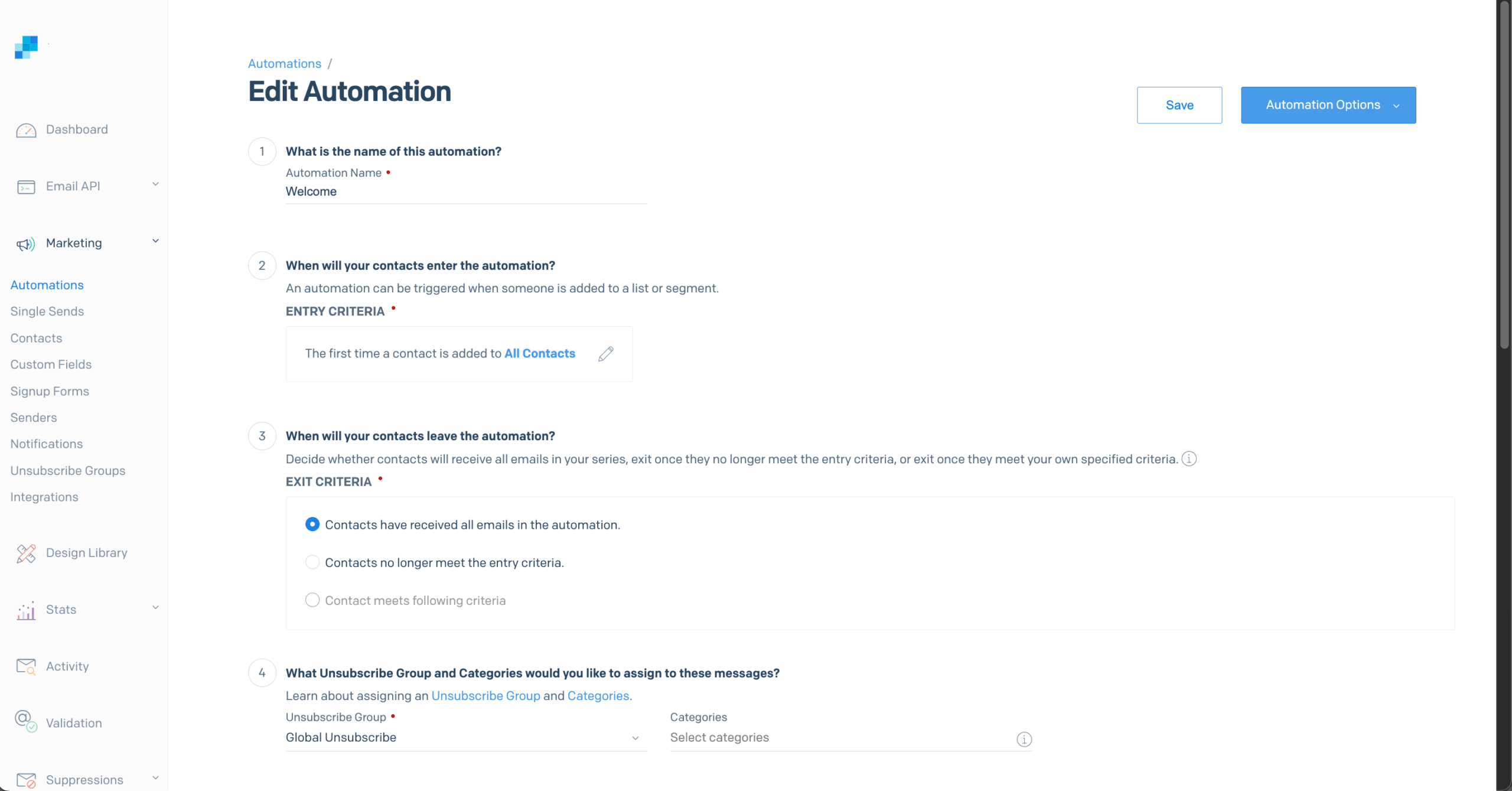
Key Transactional Features of SendGrid
- SMTP relay + Email API for app-based sending
- Event webhooks for delivery + engagement tracking
- Dynamic templates for programmatic transactional messages
- Deliverability tooling and insights (plan-dependent)
- Optional dedicated IP available as you scale (plan/add-on dependent)
Pros & Cons
- Mature API with broad SDK support
- Dedicated IP and reputation tools
- Unified transactional + marketing dashboard
- Complex pricing tiers
- UI can feel overwhelming
- Not great for beginners
- Some advanced features locked behind higher plans
Pricing
SendGrid uses tiered plans that bundle email volume with progressively richer feature sets. There’s a free trial (100 emails/day for 60 days), which allows you to see whether you want to upgrade to paid tiers. The basic one (Essentials) starts at $20/month for basic sending and Pro at $90/month for higher volume and advanced tools like dedicated IPs and subuser management.
Advanced email deliverability and account controls generally require Pro or custom-priced Premier plans, so teams with fluctuating volume or feature needs should evaluate plan boundaries carefully.
SendGrid vs Postmark
SendGrid and Postmark both support transactional email through SMTP and APIs, but they take different approaches. Postmark is more focused on streamlined transactional infrastructure and keeps transactional and broadcast traffic in separate message streams.
SendGrid is built more broadly for scale, combining transactional and marketing email with extensive APIs, event tracking, templates, deliverability tooling, and dedicated IP options–though that extra flexibility also makes it more complex to configure and manage.
The pricing crossover comes fairly early on their entry plans. Postmark Basic costs $15/month for 10,000 emails, with additional emails at $1.80 per 1,000, while SendGrid Essentials costs $20/month for 50,000 emails.
That puts the crossover at roughly 12,750 emails per month: above that volume, SendGrid Essentials becomes cheaper than staying on Postmark Basic and paying overages.
Teams expecting higher or rapidly growing volume should consider SendGrid; teams that value a simpler, more focused transactional email setup may prefer Postmark.
Mailtrap – Best Dev Experience & Deliverability
Mailtrap started as an email testing sandbox and grew into a full sending platform, which still shapes what it’s best at.

Setting up a transactional flow through the REST API took me about 20 minutes. Dedicated streams routed password resets separately from bulk notifications, keeping reputation and diagnostics isolated without manual IP configuration.
When I deliberately triggered an order confirmation with a malformed product name, the sandbox caught it before anything reached a real inbox – that pre-send testing layer is what most competitors don’t have.
The deliverability plumbing is handled for you. Official SDKs cover Node.js, Python, PHP, Ruby, Java, Elixir, and .NET, and domain verification generates SPF, DKIM, and DMARC automatically with monthly key rotation.
Suppression lists stay separate per stream, so a bulk unsubscribe never blocks a password reset. What you won’t find is marketing automation, audience management, or campaign tools – Mailtrap fits developer teams that want transactional sending and pre-send testing in one place, and little else.
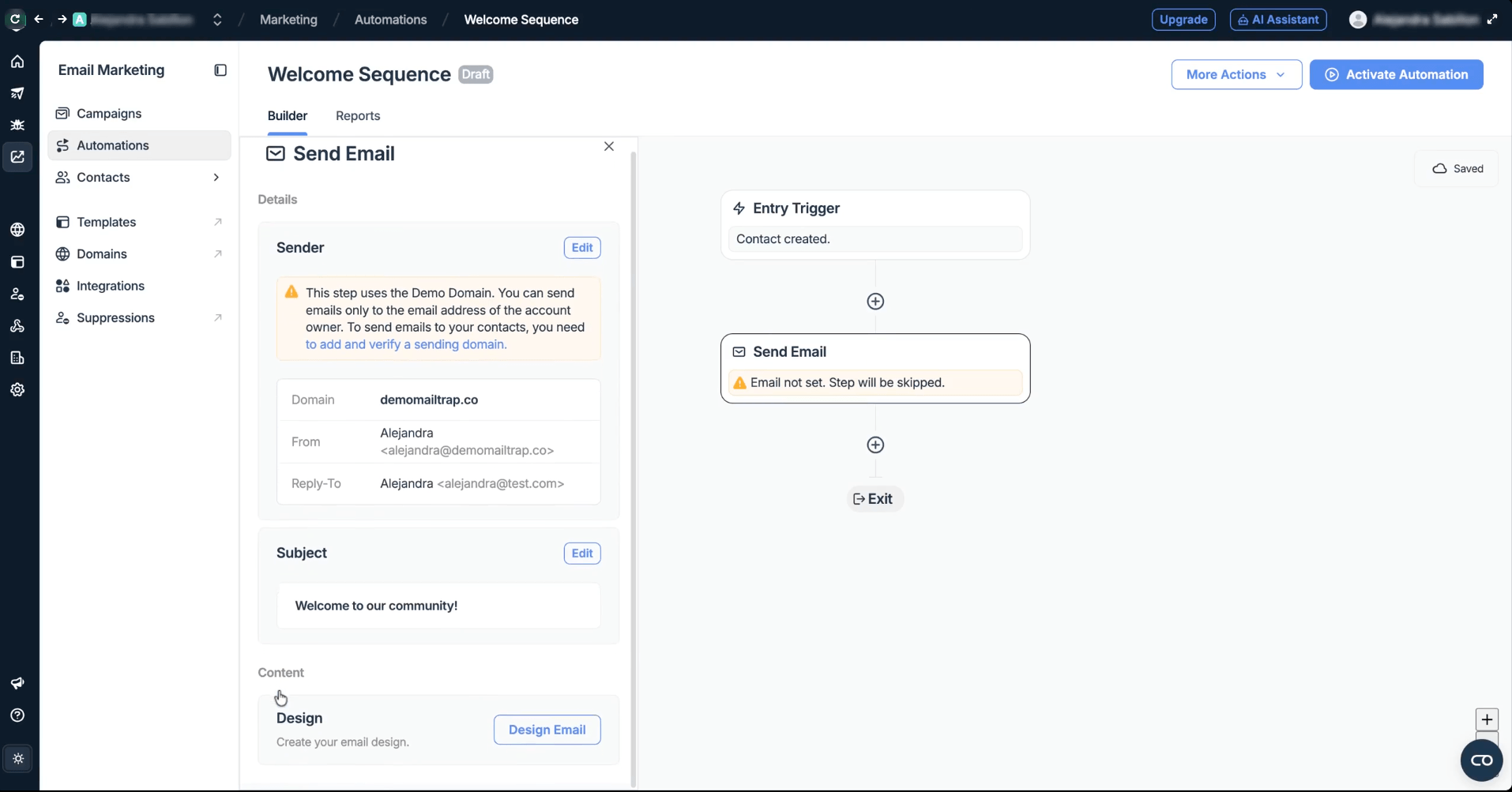
Key Transactional Features of Mailtrap
- Email API + SMTP relay with separate transactional and bulk streams
- Official SDKs for Node.js, Python, PHP, Ruby, Java, Elixir, .NET
- Webhooks with automatic retries, event batching, and failure alerts
- Domain authentication with automatic DKIM rotation
- Per-provider analytics (Gmail, Outlook, Yahoo breakdown)
Pros & Cons
- Fast integration with extensive SDK support
- High deliverability with isolated sending streams
- Detailed analytics by mailbox provider
- Basic email marketing features
- Dedicated IP only on Business plans and above
Pricing
The free tier includes 4,000 emails/month. Basic starts at $15/month for 10,000 emails, scaling to $30/month for 100,000. The Business plan begins at $85/month for 100,000 emails, with dedicated IPs and 24/7 customer support. While aptly-named Enterprise runs at $750/month for 1,500,000 emails/mo.
Mailtrap vs Postmark
Mailtrap and Postmark both target developer-led teams, but Mailtrap puts more emphasis on the full email development workflow. Alongside API and SMTP sending, it offers a dedicated email sandbox, official SDKs, inbound email, webhook tooling, and deeper deliverability controls.
Postmark is more narrowly focused on production sending, with transactional and broadcast traffic kept in separate Message Streams and a simpler infrastructure-first setup.
At 10,000 emails per month, both Mailtrap Basic and Postmark Basic cost $15. The gap opens above that: Mailtrap charges $1 per extra 1,000 emails on Basic, compared with $1.80 on Postmark Basic. At 100,000 emails, Mailtrap Business costs $85/month, while Postmark Platform works out to about $126 using its $18 base price plus $1.20 per extra 1,000.
Teams expecting higher volumes or wanting built-in testing and deliverability tooling should consider Mailtrap; teams that prefer Postmark’s focused production-email workflow and Message Streams may have little reason to switch.
Sender – Best for Budget-Friendly Transactional Email
Sender approaches transactional email differently from Postmark. Instead of treating it as a narrowly scoped infrastructure product, Sender bundles transactional sending into a broader email platform that also supports marketing campaigns, automation, and SMS.

This distinction matters because marketing email draws higher complaint rates than transactional email does, so one blast to a stale list can push your password resets into spam. Postmark’s separation prevents that by design.
Every Sender plan, Free Forever included, comes with full email API and SMTP access, dynamic templates, SPF/DKIM/DMARC authentication, and unlimited sending domains, covering 2,500 subscribers and 15,000 emails monthly before you pay anything. If transactional is the smaller share of your sending and you already run email marketing campaigns, consolidating to one vendor is the pragmatic call.
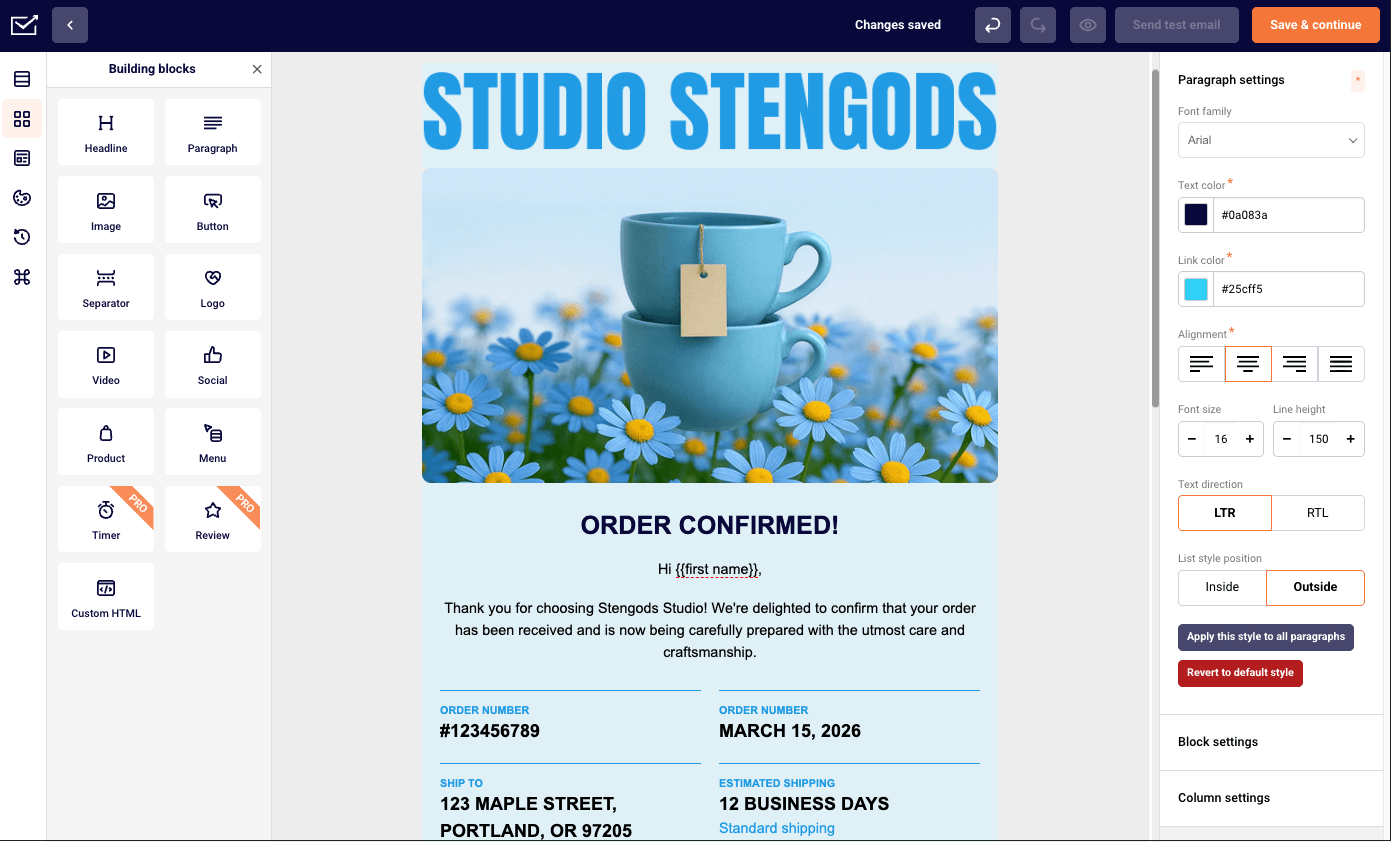
Key Transactional Features of Sender
- SMTP relay and REST API support
- Domain authentication (SPF, DKIM, DMARC)
- Event webhooks and delivery logs
- Template-based transactional emails
- Optional SMS in the same platform
Pros & Cons
- Lower entry cost than Postmark
- Free plan supports real testing
- Combined transactional and marketing emails
- Suitable for non-technical teams
- Shared reputation by default
- Fewer ultra-low-level controls
- Not developer-exclusive by design
Pricing
Sender stands out for its transparent and affordable pricing. Plans start at $10 per month, making it accessible for small businesses and solo marketers, while the Professional plan begins at $20/month. Compared to platforms like Postmark or Mailgun and other marketing tools, Sender offers strong value across business sizes without pricing complexity.
Sender vs Postmark
Sender and Postmark both handle transactional email through SMTP and APIs, but they’re built for different workflows. Postmark is an infrastructure-first service focused on reliable application email, with transactional and broadcast message streams, detailed delivery data, and developer-oriented controls.
Sender combines transactional sending with email campaigns, automation, subscriber management, forms, landing pages, and SMS, making it better suited to teams that want marketing and system emails in one platform.
The cost difference appears early. Sender’s Free plan includes 15,000 emails per month for up to 2,500 subscribers, while Postmark’s free tier is limited to 100 emails per month; Postmark Basic then starts at $15/month for 10,000 emails, with extra emails at $1.80 per 1,000, while Sender Standard starts at $10/month. Exact costs beyond the free tier depend on subscriber count with Sender, so there isn’t one universal crossover point.
Teams wanting marketing, automation, and transactional email under one roof should consider switching to Sender; teams that primarily need specialized, developer-focused email infrastructure may be better off staying with Postmark.
Mailgun – Developer-First Email API
Mailgun and Postmark both target developers rather than marketers, but Mailgun trades guidance for control.

Setting up around 12 transactional flows across the REST API and SMTP relay took me roughly two hours – longer than simpler providers, though sending stayed consistent afterwards. Event logs and bounce categorisation surfaced the exact rejection reason and affected domain during a deliverability issue, without reaching for external monitoring.
Mailgun is also the straightforward choice for EU data residency: you pick US or EU at setup, and message data never leaves that region. Choose carefully, because migrating a domain later means deleting and rebuilding it, exporting routes, suppressions and credentials first. Inbound routing is powerful and, in my experience, the fiddliest part of the platform – getting replies into an app endpoint took more manual domain and route configuration than a core feature should.
Mailgun suits SaaS teams that prioritise control, scale and compliance over ease of use, and works best when email is owned by engineering as part of the application stack rather than set up once and forgotten.
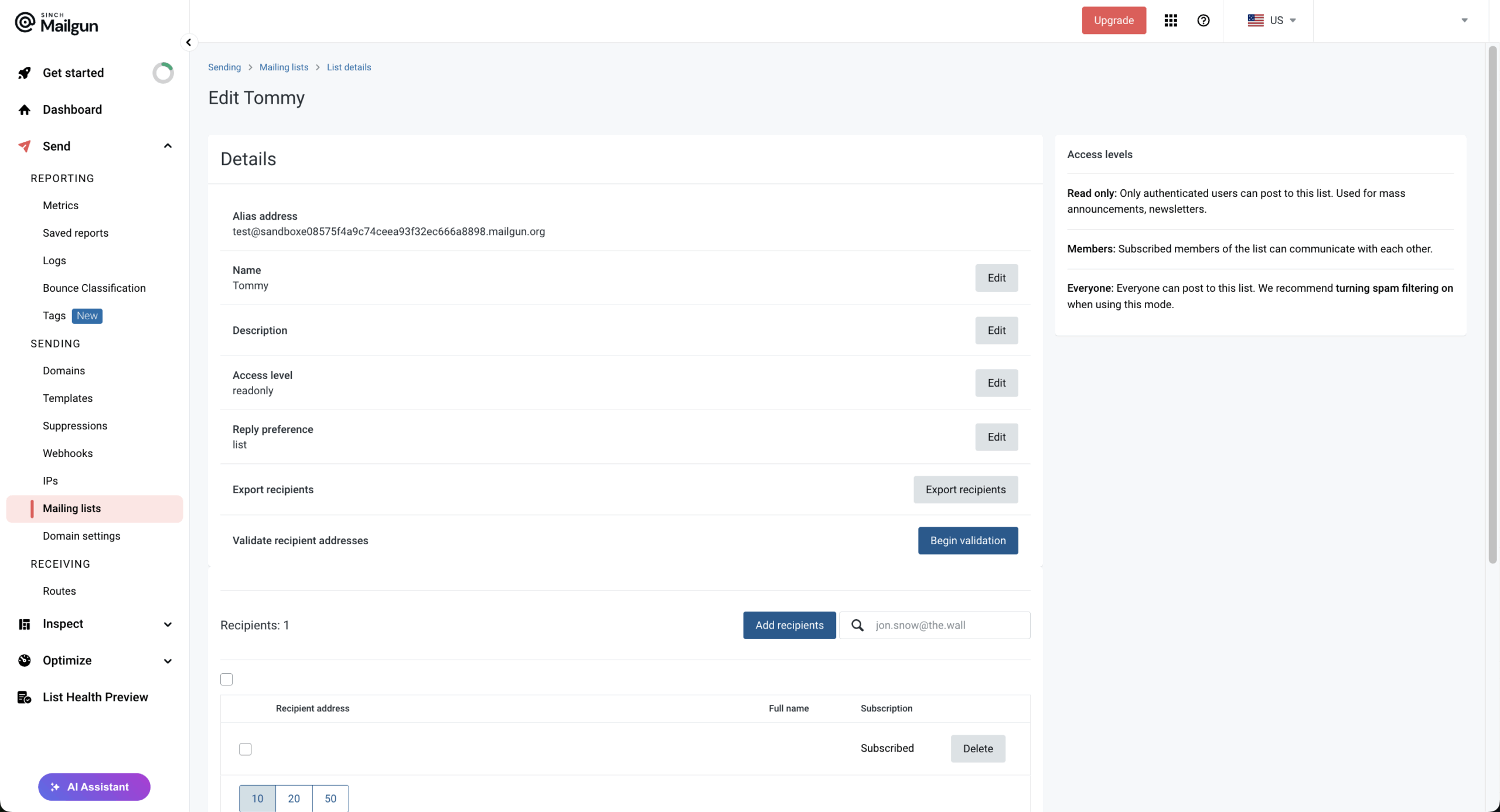
Key Transactional Features of Mailgun
- Email API + SMTP relay for transactional sending
- Webhooks/event data for message status tracking
- Message routing features (notably inbound email routing)
- Logs/tracking to troubleshoot delivery and engagement
- Scales for high-volume app sending (API-first orientation)
Pros & Cons
- Deep configurability for developers
- Rich event data and webhooks
- Flexible inbound routing
- Less intuitive for non-technical users
- Minimal UI for message management
- Operational burden higher than some alternatives
Pricing
Mailgun prices its email API around monthly send allowances + feature tiers, with a small free option at the bottom. Their base pricing starts at $15/month for 10,000 emails/month (Basic plan). For higher volume, Foundation is $35/month (free for 1 month, then 50,000 emails/month included) and Scale is $90/month (free for 1 month, then 100,000 emails/month included).
Overage is metered, starting around $1.80 per 1,000 emails on the Basic plan, with better overage rates on higher tiers. Dedicated IP access and higher retention/support features generally show up on the upper plans, so if your volume swings or you need deliverability controls, it’s worth checking where each tier gates those features.
Mailgun vs Postmark
Mailgun and Postmark are both developer-focused transactional email services, but Mailgun gives engineering teams more control over how email is routed and managed.
Its APIs, inbound routing, event data, webhooks, and deliverability options suit teams that want email tightly integrated into their application stack. Postmark is more opinionated and streamlined, emphasizing straightforward production sending and clear separation between transactional and broadcast traffic.
Pricing starts almost identically: Mailgun Basic and Postmark Basic both cost $15/month for 10,000 emails, and both charge $1.80 per extra 1,000 at that tier. Mailgun starts pulling ahead at higher volumes with Foundation at $35/month for 50,000 emails and lower $1.30 overages.
Teams needing deeper routing, configuration, or scaling options should consider Mailgun; teams that value a simpler, more tightly managed transactional-email experience may prefer Postmark.
Amazon SES – Low-Cost, High-Volume Sending
Amazon SES is the purest infrastructure option here – a foundational building block rather than a complete transactional email service.

With a cost per 1,000 emails being $0.10, it’s the lowest-cost option I’ve implemented at scale, and it sits naturally in an AWS stack: CloudWatch for monitoring, IAM for access control, SNS for bounce and complaint notifications.
SMTP and API sending both work, with dedicated IPs at higher volumes. New accounts start in sandbox mode, restricted to verified recipients until you request production access – factor that into launch timelines.
The trade-off is operational ownership. Domain authentication, IP warm-up, retry logic, alerting and dashboards are all yours to build. More seriously, AWS polices your reputation: bounces above 5% or complaints above 0.1% trigger a review, and 10% or 0.5% pauses sending outright – reinstatement means a manual appeal that takes days.
SES fits teams already inside AWS who want infrastructure control over convenience.
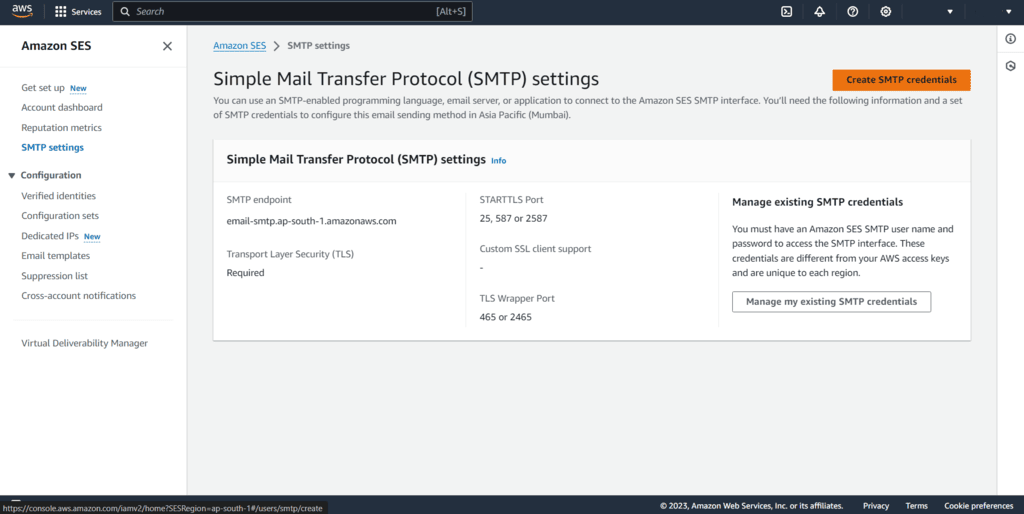
Key Transactional Features of Amazon SES
- SMTP interface + API-based sending
- Domain/identity authentication support
- Configuration sets + event publishing
- Stored email templates + templated sending via API
- Deep monitoring/alerting via AWS integrations
Pros & Cons
- Extremely low per email cost
- Runs on AWS global infrastructure
- Integrates with AWS monitoring tools
- Minimal built-in tooling
- Requires external dashboards or tooling
- Higher operational setup work
Pricing
Amazon SES uses a pure pay-as-you-go pricing model, charging $0.10 per 1,000 outbound emails, with additional costs for attachments, inbound mail, and optional add-ons. Dedicated IPs are available, either as standard IPs at $25 per month or managed IPs, starting at $15 per month, with added usage-based fees on top.
SES is one of the better options at scale, especially for high-volume senders. In practice, total costs can add up once you factor in data charges, IPs, and deliverability features, making SES best suited for technically strong teams that prioritize low unit costs over simplicity or bundled tooling.
Amazon SES vs Postmark
Amazon SES and Postmark both support transactional email through SMTP and APIs, but they sit at opposite ends of the simplicity-versus-control spectrum.
SES is closer to raw email infrastructure, offering low-cost sending on AWS with configuration sets, event publishing, templates, and optional deliverability add-ons. Postmark bundles more of the operational experience into the product, with built-in analytics, suppression management, message streams, and less infrastructure to configure or monitor yourself.
On raw sending cost, there isn’t much of a crossover: Amazon SES is cheaper from the start. Its à-la-carte outbound rate is $0.10 per 1,000 emails, so 10,000 emails cost about $1, before data transfer and optional features; Postmark Basic costs $15/month for 10,000 emails.
Teams with AWS expertise and high volumes should consider SES for its much lower unit cost. Teams that would rather pay more for easier setup, built-in troubleshooting, and less day-to-day email infrastructure management should stick with Postmark.
Resend – Modern API for Product Teams
Resend is built for product and engineering teams that want transactional email to feel like a natural part of the application stack.

The developer experience is where Resend stood out most in my testing. I found the API straightforward to work with, and building templates through React Email felt especially natural for a product-led workflow.
I could store reusable templates directly in Resend and use webhooks to monitor delivery rate, bounces, complaints, opens, clicks, and suppression events without adding much extra setup. Domain authentication was also simple to configure, with SPF and DKIM supported and DMARC available as an additional layer.
The overall experience felt clean and developer-focused, especially compared with platforms that add more marketing functionality around the core sending infrastructure. That said, I’d still keep an eye on support and account-management limitations as usage grows, since those are areas where external reviews are more mixed.
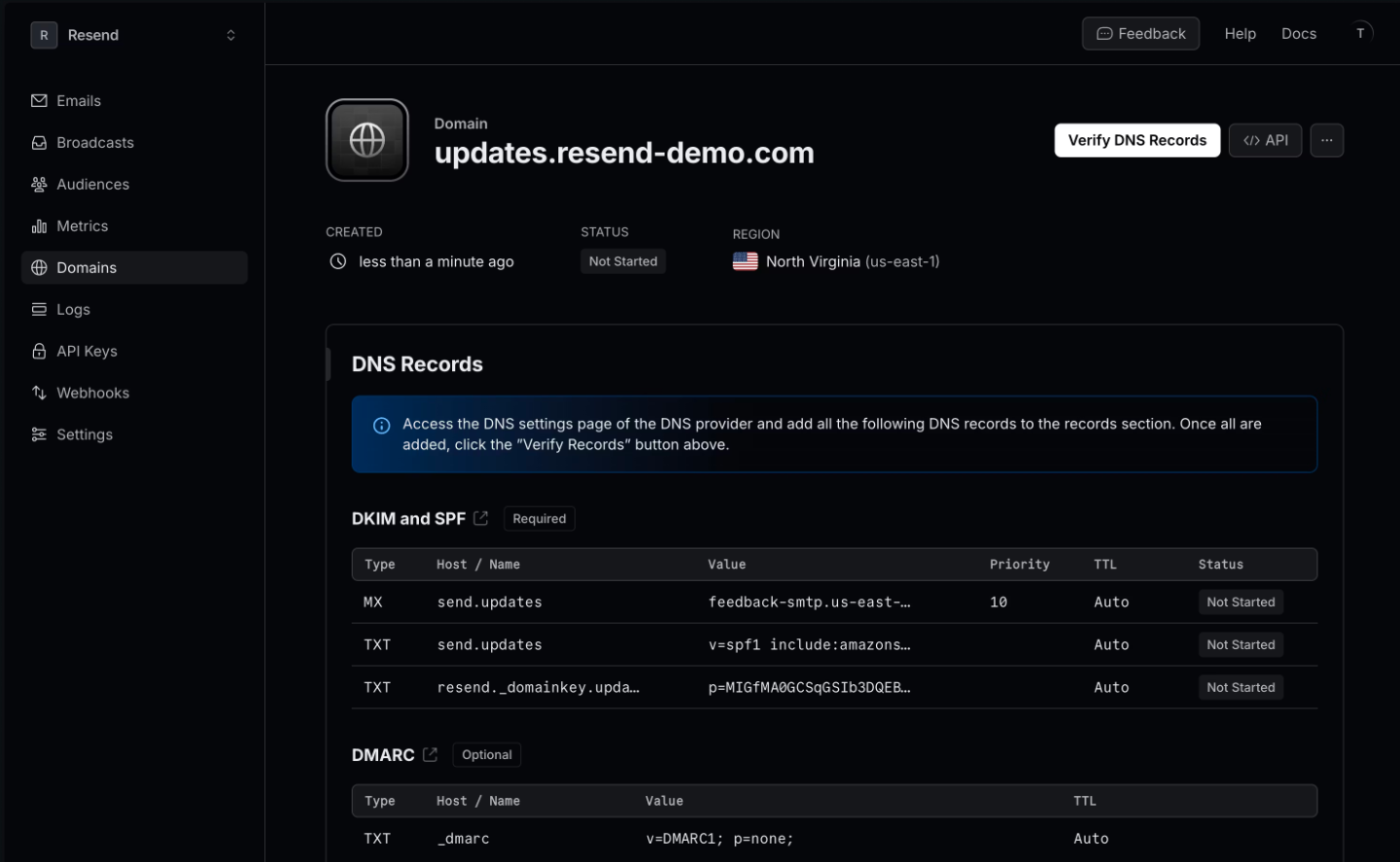
Key Transactional Features of Resend
- REST API + SMTP relay
- Official SDKs across major programming languages
- React Email integration and reusable templates
- Webhooks for delivery, bounce, complaint, open, and click events
- Automatic suppression handling and bounce details
- SPF, DKIM, and DMARC authentication
- Inbound email support
Pros & Cons
- Clean, developer-first API
- Strong React and modern framework support
- Generous free tier for testing and small applications
- Simple webhook and template workflows
- Free plan capped at 100 emails per day
- Dedicated IPs require the Scale plan
- 30-day data retention on standard plans
- Smaller review footprint than more established providers
Pricing
Resend’s Free plan includes 3,000 emails per month, with a 100-email daily limit. Pro costs $20/month for 50,000 emails, while Scale costs $90/month for 100,000 emails. Both paid plans charge $0.90 per extra 1,000 emails with pay-as-you-go enabled. Dedicated IPs cost an additional $30/month and are available on Scale for customers sending more than 3,000 emails per day.
Resend vs Postmark
Resend and Postmark both cater heavily to developers, but Resend feels more closely aligned with modern product-development workflows.
Its broad SDK coverage, React Email integration, templates, and framework examples make it particularly convenient for teams building email directly into SaaS products. Postmark is the more established, opinionated transactional platform, with a stronger emphasis on keeping email infrastructure focused and predictable.
The pricing gap starts to matter once sending moves beyond small volumes. Resend gives teams 3,000 emails free and then jumps to 50,000 emails for $20/month, making it attractive for growing applications that would otherwise accumulate Postmark overage charges.
Product teams prioritizing API ergonomics, React-based workflows, and inexpensive scaling should consider Resend; teams that prefer Postmark’s mature, tightly focused transactional-email model may have less reason to switch.
Brevo – All-in-One Email, CRM & SMS
Brevo takes an all-in-one approach similar to Sender. However, Brevo takes a heavier emphasis on CRM and multi-channel marketing. Transactional email is supported via API and SMTP, alongside marketing campaigns and SMS.

I built a multichannel flow – welcome email, SMS reminder, conditional follow-up – in about 30 minutes without wiring up a second tool. The more useful consolidation is quieter: transactional and campaign email share authentication and suppression lists, which removes the double-send risk you otherwise manage by hand across two platforms.
Message-level visibility holds up too, with per-event logs covering API, SMTP and automation sends, recipient previews and resend, retained indefinitely by default.
What you give up is speed. Postmark averages one to three seconds to inbox and publishes its time-to-inbox data openly; Brevo typically runs five to fifteen. On an email newsletter – that’s invisible. On a password reset or a 2FA code, however, users notice.
Brevo suits teams that want marketing and transactional communication unified, and it’s the wrong trade if sub-second delivery is the requirement.
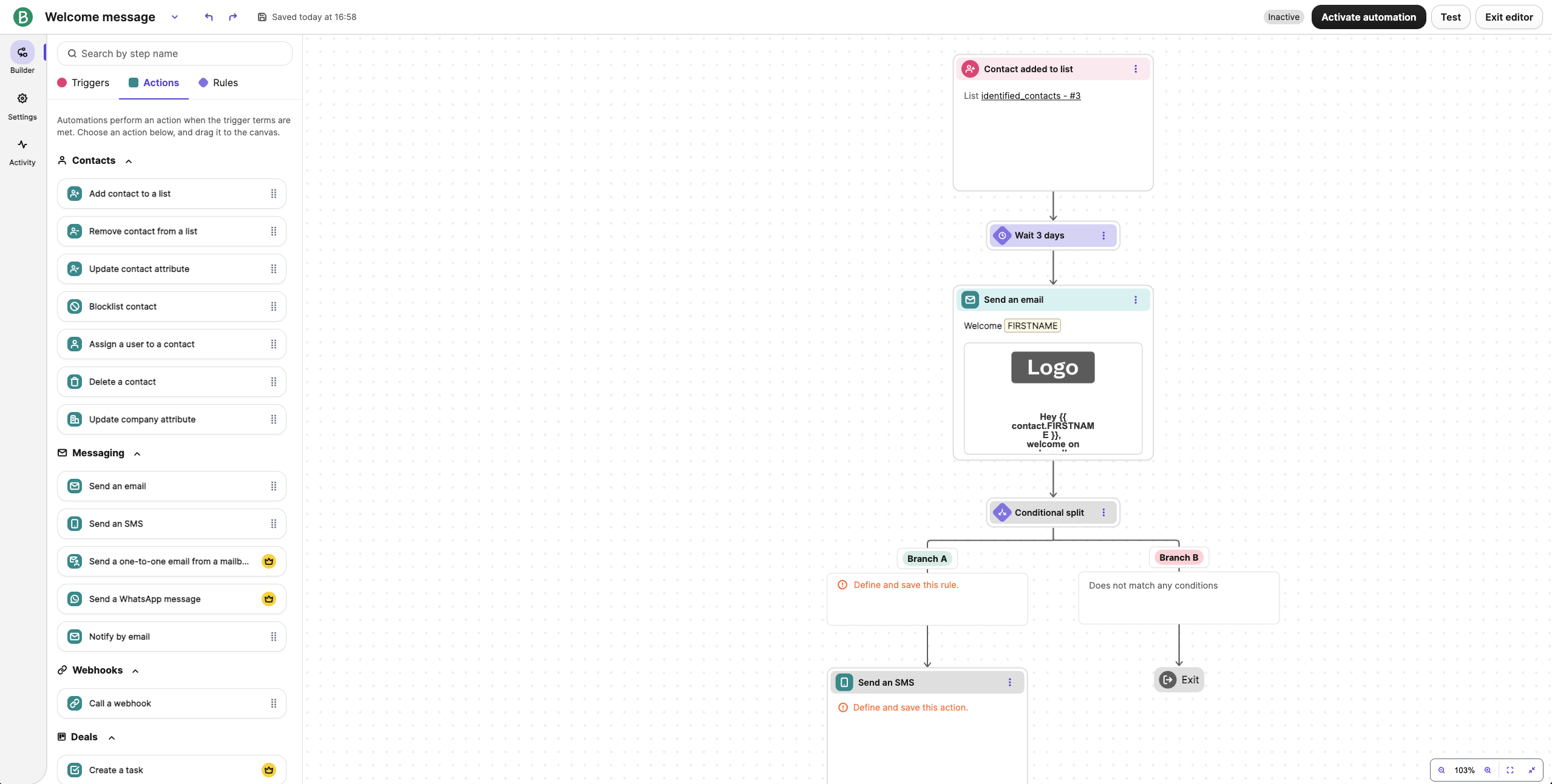
Key Transactional Features of Brevo
- Transactional email via API + SMTP relay
- Transactional webhooks for delivery/bounce/engagement-style events
- Template support for transactional emails
- Unified messaging option (SMS/WhatsApp on platform)
- Extended logs/retention and inbound parsing
Pros & Cons
- Combines transactional email with CRM
- Simple setup and UI
- Multichannel messaging support
- Transactional tooling is basic
- Diagnostic depth is lighter
- Less control than infrastructure-first tools
Pricing
Brevo’s pricing model is more flexible than Postmark’s. Postmark uses a straightforward, usage-based structure focused strictly on transactional volume, with costs scaling as email volume increases. Brevo, by contrast, offers tiered plans that bundle transactional sending with broader marketing features.
The Starter plan begins at $9/month for 5,000 emails, while the Standard plan ($18/month) adds marketing automation. For more advanced needs, the Professional plan starts at $499 per month with 150,000+ emails and advanced automation. This makes Brevo a more scalable option for teams that want marketing and transactional capabilities under one roof.
Brevo vs Postmark
Brevo and Postmark both support transactional email through SMTP and APIs, but Brevo is the broader platform. It combines transactional sending with marketing campaigns, automation, CRM, SMS, and WhatsApp, while Postmark stays more focused on email infrastructure, message-level visibility, and separating transactional from broadcast traffic.
Brevo is easier to consolidate around, but Postmark offers more depth for teams that treat transactional email as dedicated infrastructure.
The pricing comparison depends on volume rather than having one clean crossover point. Brevo offers 300 emails per day free and Starter begins at $9/month for 5,000 emails, while Postmark’s free tier includes just 100 emails/month and Basic costs $15/month for 10,000 emails.
Brevo makes more sense for teams that want transactional and marketing features under one roof; teams prioritizing specialized transactional delivery, diagnostics, and infrastructure control should stick with Postmark.
Mandrill – Transactional Email for Mailchimp Users
Finally, we have Mailchimp’s Mandrill, which exists primarily as a transactional add-on for Mailchimp customers.
That distinction shapes Mandrill’s economics. You need a paid Mailchimp Standard or Premium marketing plan first, from $13 a month, then transactional blocks of 25,000 emails on top at $20 each, with unused emails expiring at the end of the cycle. If you only need application email, you’re funding a marketing platform you won’t open.
The consolidation is also thinner than it looks. Mandrill and Mailchimp are separate applications with separate API keys, so audience segments and campaign reporting stay on the marketing side. Templates move across by manual export, and editing one in Mailchimp doesn’t update the transactional copy – you re-export or it quietly goes stale.
For debugging, Mandrill’s log retention lasts for 30 days, against Postmark’s 45 by default and longer on higher plans. Webhooks and SMTP both work as expected.
Mandrill is worth it if you’re committed to Mailchimp already, and hard to justify otherwise.
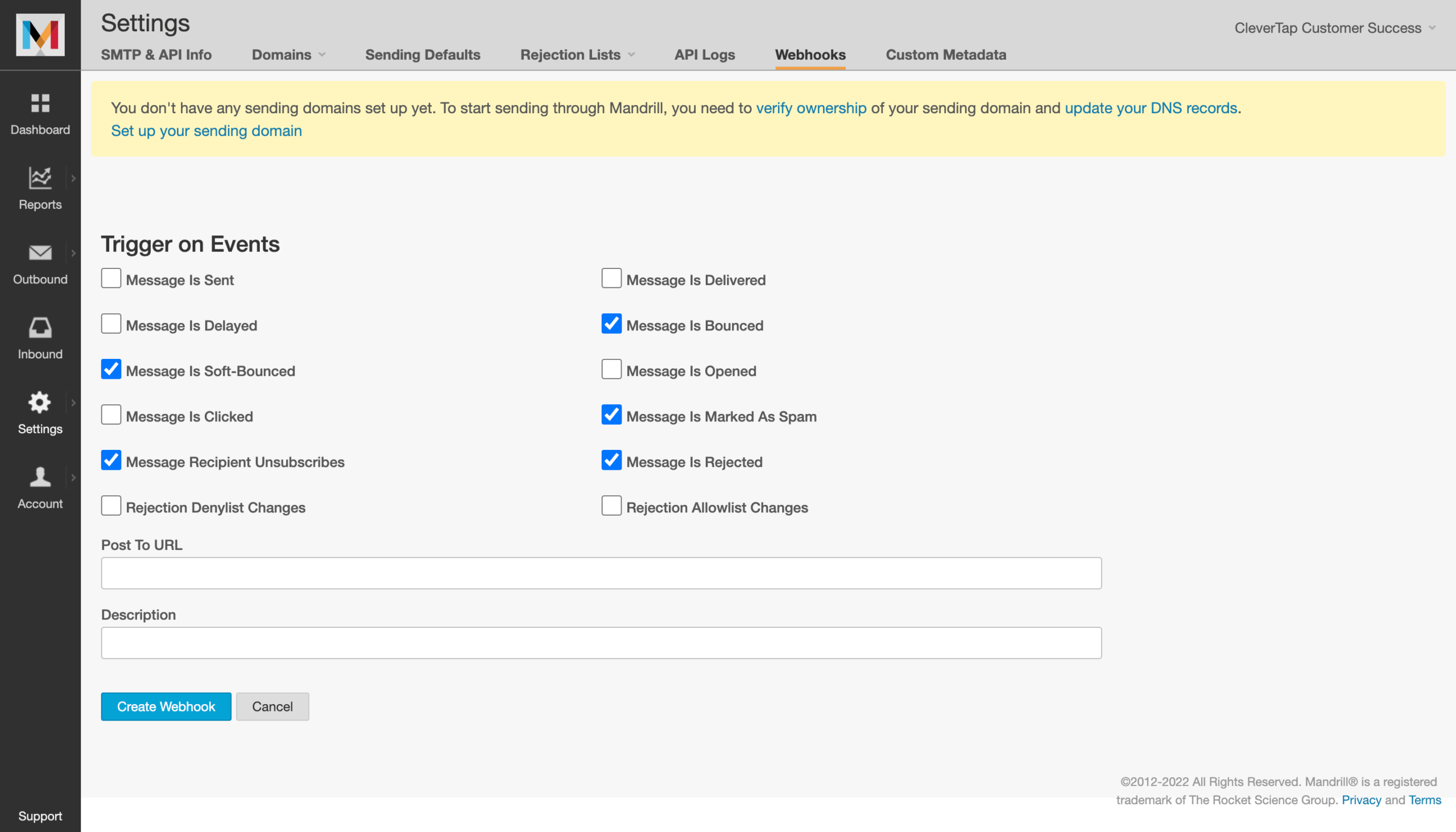
Key Transactional Features of Mandrill
- Transactional sending via API + SMTP integration
- Webhooks for real-time message events
- Transactional templates endpoint + template-based sending workflows
- Inbound email processing supported (via webhooks tooling)
Pros & Cons
- Native Mailchimp integration
- Strong event data within the Mailchimp ecosystem
- Not available standalone
- Pricing tied to Mailchimp subscription levels
- Setup dependent on Mailchimp workflows
Pricing
Mandrill’s pricing is usage-based and sold in blocks rather than tiers: each block covers 25,000 emails, with the per-block price dropping from $20 to $10 as monthly volume increases. You can also add a dedicated IP for $29.95/month. There’s a small trial allowance (up to 500 free sends to a verified domain, with restrictions), but long-term costs are tied directly to how many blocks you need each month.
Mandrill vs Postmark
Mandrill and Postmark both handle transactional email through SMTP and APIs, but Mandrill is built specifically for existing Mailchimp customers rather than as a standalone service.
It offers transactional templates, webhooks, inbound email processing, and Mailchimp integration, while Postmark is a dedicated transactional email platform with a more self-contained workflow. For teams already using Mailchimp, Mandrill can reduce the need to add another vendor.
The cost comparison is less straightforward because Mandrill pricing is tied to a Mailchimp subscription. Mandrill is sold in 25,000-email blocks, starting at $20 per block and falling to as low as $10 per block at higher volumes, with a $29.95/month dedicated IP option. That means there isn’t a clean standalone crossover with Postmark from the available pricing data.
Existing Mailchimp users who want transactional sending inside the same ecosystem should consider Mandrill; teams that want a standalone transactional platform with clearer independent pricing should stick with Postmark.
Postmark Alternatives: Pricing for Small to Medium Businesses
| Provider | Free Tier | 1K Emails | 5K Emails | 10K Emails |
| Sender | 15,000/mo | Free | Free | Free |
| SendGrid | 100/day (60-day free trial) | $20 | $20 | $20 |
| Mailtrap | 4,000/mo | Free | $15 | $15 |
| Mailgun | 100/day | $15 | $15 | $15 |
| Postmark | 100/month | $15 | $15 | $15 |
| Resend | 3,000/mo | Free | $20 | $20 |
| Brevo* | 300/day | $9 | $9 | $17 |
| Mandrill* | 500 (total) | $20 | $20 | $20 |
| Amazon SES*** | $200 worth of credits | $0.16 | $0.8 | $1.6 |
** Mandrill is sold in blocks of 25,000 emails; 1K/5K/10K still requires at least one block.
*** Amazon SES Essentials pricing is shown at the current plan rate; SES also does à-la-carte pricing (no plan), $.10 per 1,000 email
Choosing the Right Postmark Alternative
As you can see, there’s no single best Postmark alternative for every business or situation – the right choice depends on what you value most.
Lowest cost: Amazon SES is the strongest fit for technically capable teams that want the lowest per-email pricing and can manage more of the infrastructure themselves.
Best developer experience: Mailtrap stands out for its SDK coverage, testing tools, separate sending streams, and detailed deliverability analytics.
Fewest vendors: Sender is the better fit for small and growing businesses that want transactional and marketing email in one platform. It covers SMTP and API sending, authentication, logs, and webhooks, while also adding campaigns, automation, and SMS marketing.
How I Tested and When I Last Checked
I tested each provider on its entry-level paid plan – or, where tiers don’t line up cleanly, the closest equivalent to Postmark’s Basic plan.
Each account was set up from scratch: domain added, SPF/DKIM/DMARC configured, then a standardized set of application emails (password reset, order confirmation, 2FA code, and a bulk notification batch) sent through both the API and the SMTP relay.
No recipient lists were purchased or scraped; sends went to owned seed addresses and an existing opted-in test audience.
What I evaluated on each platform:
- Time to first successful send – account creation, domain verification, and first API call
- API and SMTP quality – SDK coverage, error handling, rate limits, and retry behavior
- Webhook and event data – delivery, bounce, complaint, and open events, plus retry and batching
- Suppression and bounce handling – automatic list management, and whether transactional and bulk streams stay isolated
- Deliverability, using third-party testing data
- Logs and diagnostics – retention window, message-level search, and how quickly a failure can be traced
- Support responsiveness on the entry-level plan
- Pricing model and how costs scale with send volume, including overage rates and dedicated IP gating
Deliverability testing. I relied on third-party benchmarks from GlockApps and EmailTooltester to measure inbox placement, spam-folder rates, and domain reputation. Test sends used identical subject lines, HTML, send times, and seed lists across all nine platforms to keep variables consistent.
User reviews. I pulled recurring themes from G2, Trustpilot, Capterra, and Reddit – setup effort, support quality, pricing transparency, and delivery reliability. To avoid cherry-picking, I worked from patterns across a large volume of recent reviews and gave equal weight to positive and negative feedback.
What I did not test. Enterprise features (SSO, custom SLAs, sub-account management), high-volume SMS, and sustained sending above 100,000 emails per month are out of scope. This review is aimed at SaaS teams, ecommerce operators, and agencies sending up to roughly 100,000 transactional emails a month – Postmark’s core audience.
Pricing methodology. All pricing is verified as of August 2026, shown in USD. Monthly and annual-billing prices are listed separately so you can see the annual-commit discount on each platform. Pricing pages change often – always confirm the current rate on the vendor’s site before subscribing.
Postmark Alternatives FAQs
Teams should consider a Postmark alternative when transactional email costs scale faster than usage, when tooling feels overly developer-centric, or when there’s a need for multi-channel marketing. This typically applies to small and mid-sized SaaS companies, ecommerce businesses, and operational teams that want predictable costs, simpler setup, or fewer vendors while maintaining reliable delivery and API-based sending.
Yes, Postmark has a Free Forever plan with 100 emails/month that you can use infinitely (as long as you stay within the limitations of the plan). Normally, Postmark uses usage-based pricing, so costs increase as your monthly email volume grows. This can work well for teams that want dedicated transactional email infrastructure, but businesses looking to test workflows without upfront costs may prefer alternatives that include free SMTP or API sending tiers.
Yes, Postmark is a legitimate transactional email provider with a strong reputation for reliable delivery and keeping transactional traffic separate from marketing email. Feedback is generally positive around its focused infrastructure, while common drawbacks include rising costs at higher volumes, a developer-centric setup, and limited support for marketing, automation, or multichannel messaging.
Transactional emails are anticipated by recipients and often personalized based on specific actions (e.g., purchase confirmation), while marketing emails require prior consent and are primarily used for promotional communication. Some platforms combine both, while others, like Postmark, deliberately separate transactional traffic from marketing use cases.
Yes, transactional email is available on Sender’s Free plan with the same core sending methods as paid plans, including SMTP and API access. Free plan usage is subject to overall account limits, but it allows teams to test real transactional workflows, verify domain authentication, and confirm delivery behavior before committing to a paid tier. This makes it suitable for early-stage products and pilots.